
1. Cyber Threat Intelligence Tools
1. Urlscan.io
Urlscan.io is a free service developed to assist in scanning and analysing websites. It is used to automate the process of browsing and crawling through websites to record activities and interactions.
When a URL is submitted, the information recorded includes the domains and IP addresses contacted, resources requested from the domains, a snapshot of the web page, technologies utilised and other metadata about the website.

The site provides two views, the first one showing the most recent scans performed and the second one showing current live scans.
Scan Results
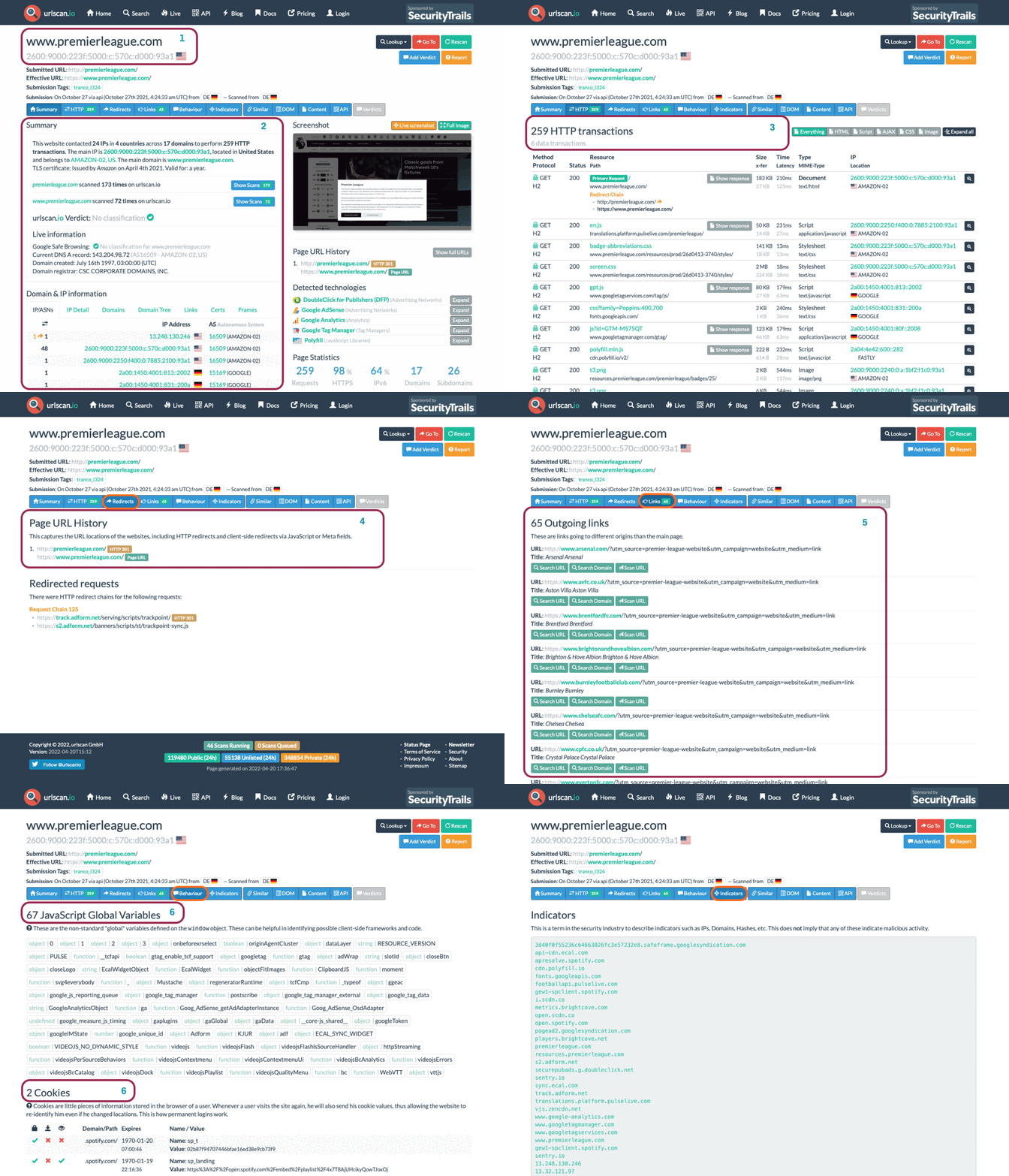
URL scan results provide ample information, with the following key areas being essential to look at:
Summary: Provides general information about the URL, ranging from the identified IP address, domain registration details, page history and a screenshot of the site.
HTTP: Provides information on the HTTP connections made by the scanner to the site, with details about the data fetched and the file types received.
Redirects: Shows information on any identified HTTP and client-side redirects on the site.
Links: Shows all the identified links outgoing from the site's homepage.
Behaviour: Provides details of the variables and cookies found on the site. These may be useful in identifying the frameworks used in developing the site.
Indicators: Lists all IPs, domains and hashes associated with the site. These indicators do not imply malicious activity related to the site.
Note: Due to the dynamic nature of internet activities, data searched can produce different results on different days as new information gets updated.
Scenario
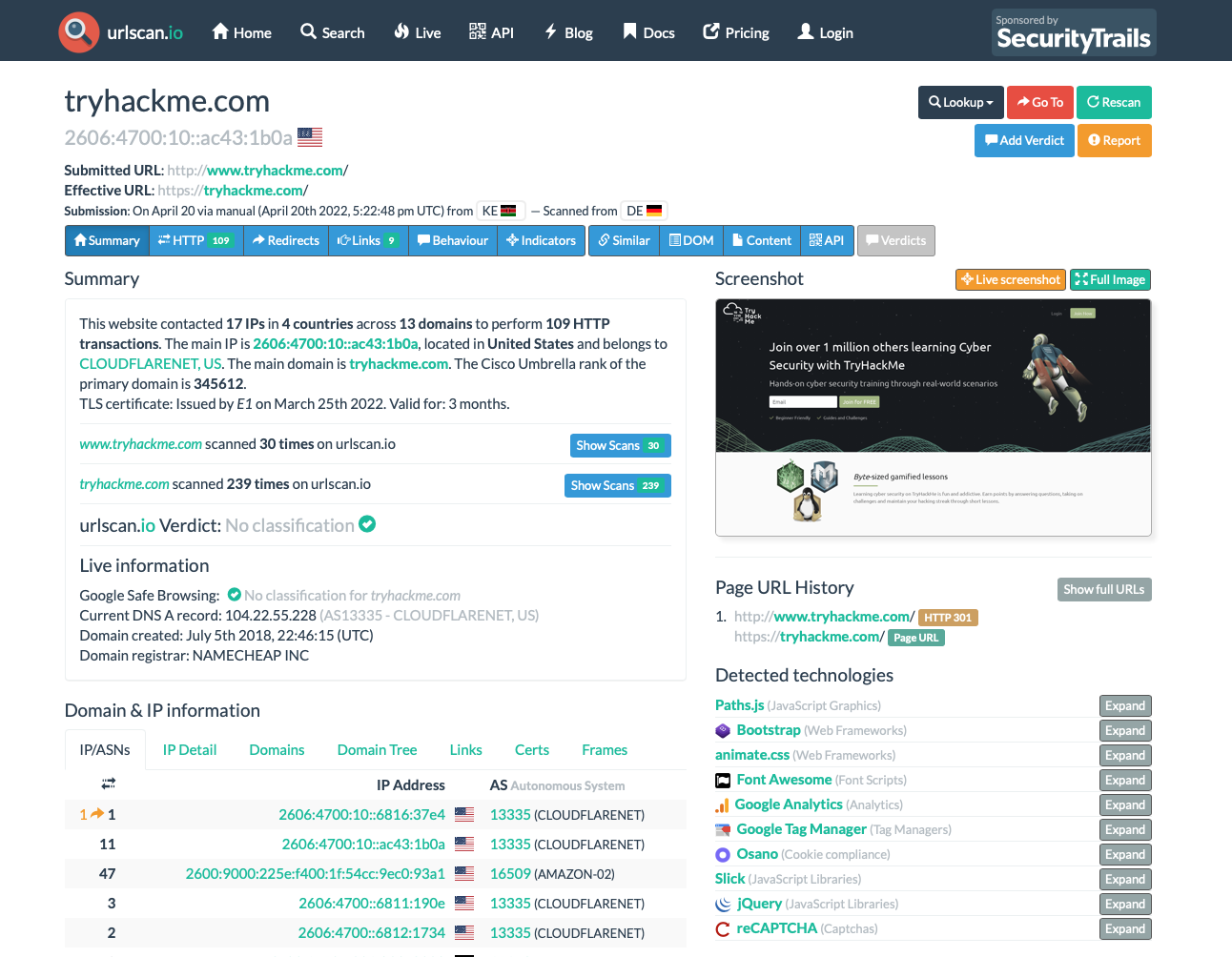
You have been tasked to perform a scan on TryHackMe's domain. The results obtained are displayed in the image below. Use the details on the image to answer the questions:
2. Abuse.sh
Abuse.ch is a research project hosted by the Institue for Cybersecurity and Engineering at the Bern University of Applied Sciences in Switzerland. It was developed to identify and track malware and botnets through several operational platforms developed under the project. These platforms are:
Malware Bazaar: A resource for sharing malware samples.
Feodo Tracker: A resource used to track botnet command and control (C2) infrastructure linked with Emotet, Dridex and TrickBot.
SSL Blacklist: A resource for collecting and providing a blocklist for malicious SSL certificates and JA3/JA3s fingerprints.
URL Haus: A resource for sharing malware distribution sites.
Threat Fox: A resource for sharing indicators of compromise (IOCs).
Let us look into these platforms individually.
As the name suggests, this project is an all in one malware collection and analysis database. The project supports the following features:
Malware Samples Upload: Security analysts can upload their malware samples for analysis and build the intelligence database. This can be done through the browser or an API.
Malware Hunting: Hunting for malware samples is possible through setting up alerts to match various elements such as tags, signatures, YARA rules, ClamAV signatures and vendor detection.

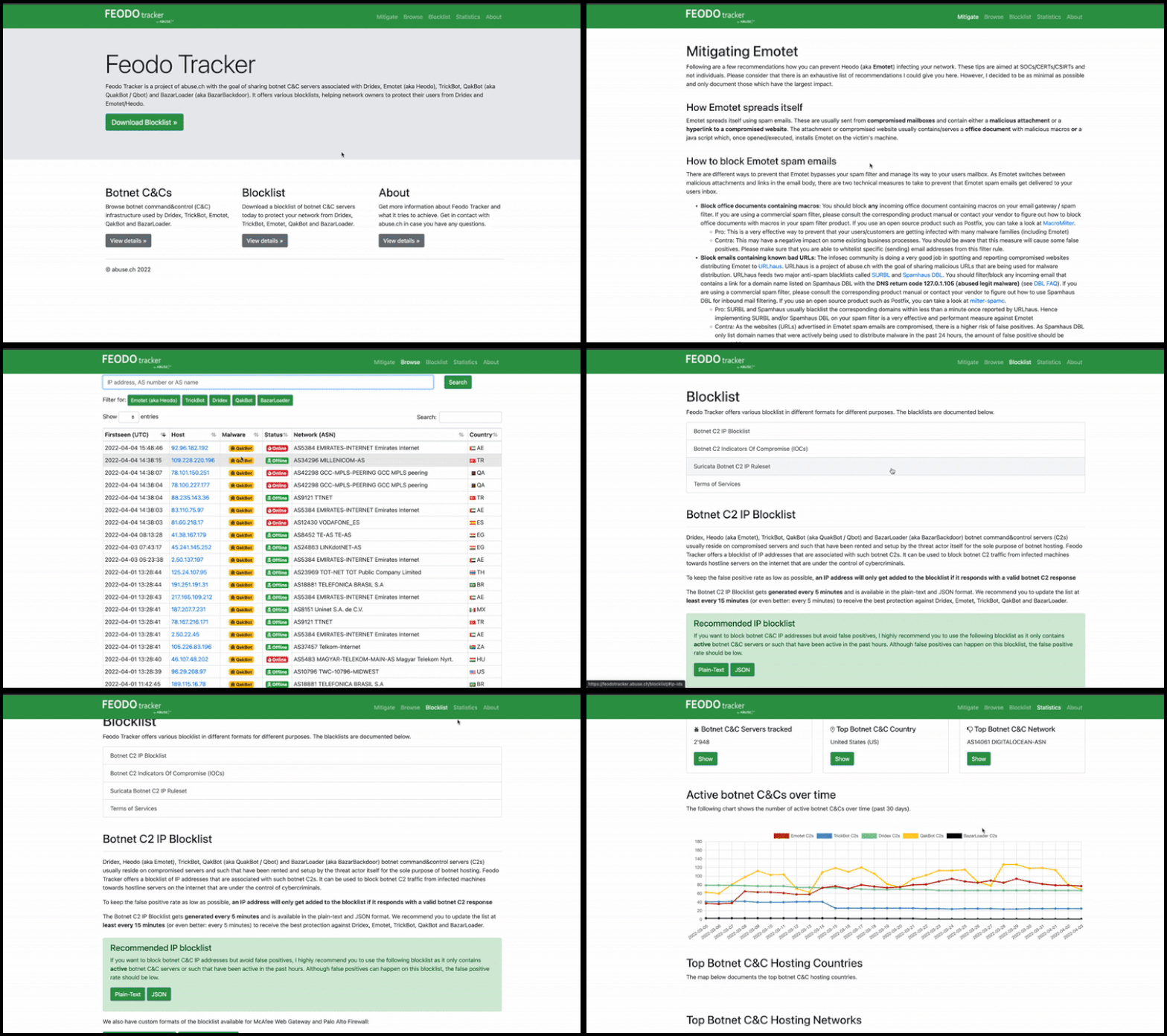
With this project, Abuse.ch is targeting to share intelligence on botnet Command & Control (C&C) servers associated with Dridex, Emotes (aka Heodo), TrickBot, QakBot and BazarLoader/BazarBackdoor. This is achieved by providing a database of the C&C servers that security analysts can search through and investigate any suspicious IP addresses they have come across. Additionally, they provide various IP and IOC blocklists and mitigation information to be used to prevent botnet infections.
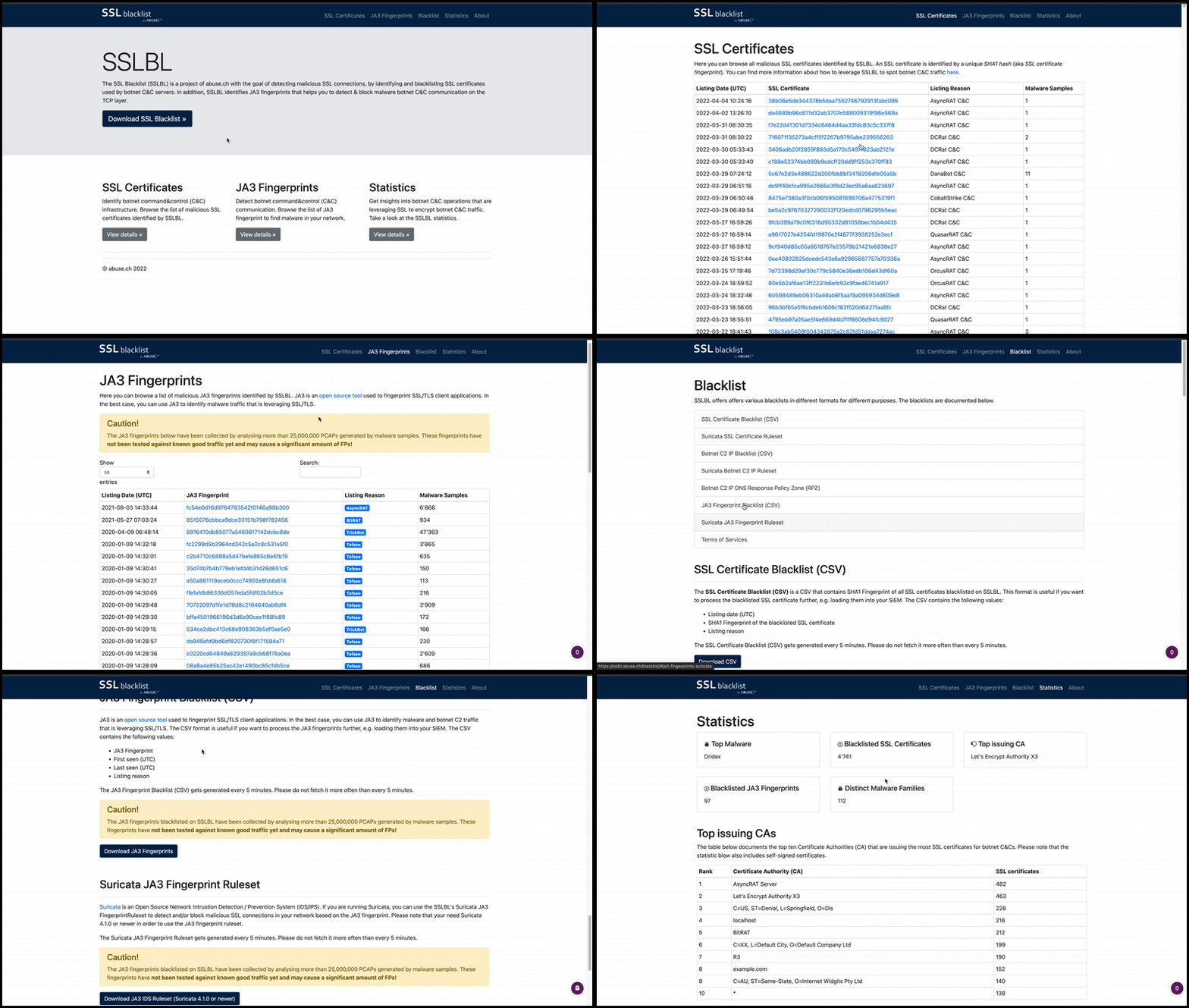
Abuse.ch developed this tool to identify and detect malicious SSL connections. From these connections, SSL certificates used by botnet C2 servers would be identified and updated on a denylist that is provided for use. The denylist is also used to identify JA3 fingerprints that would help detect and block malware botnet C2 communications on the TCP layer.
You can browse through the SSL certificates and JA3 fingerprints lists or download them to add to your deny list or threat hunting rulesets.
As the name points out, this tool focuses on sharing malicious URLs used for malware distribution. As an analyst, you can search through the database for domains, URLs, hashes and filetypes that are suspected to be malicious and validate your investigations.
The tool also provides feeds associated with country, AS number and Top Level Domain that an analyst can generate based on specific search needs.

With ThreatFox, security analysts can search for, share and export indicators of compromise associated with malware. IOCs can be exported in various formats such as MISP events, Suricata IDS Ruleset, Domain Host files, DNS Response Policy Zone, JSON files and CSV files.

3. Cisco Talos Intelligence
IT and Cybersecurity companies collect massive amounts of information that could be used for threat analysis and intelligence. Being one of those companies, Cisco assembled a large team of security practitioners called Cisco Talos to provide actionable intelligence, visibility on indicators, and protection against emerging threats through data collected from their products. The solution is accessible as Talos Intelligence.
Cisco Talos encompasses six key teams:
Threat Intelligence & Interdiction: Quick correlation and tracking of threats provide a means to turn simple IOCs into context-rich intel.
Detection Research: Vulnerability and malware analysis is performed to create rules and content for threat detection.
Engineering & Development: Provides the maintenance support for the inspection engines and keeps them up-to-date to identify and triage emerging threats.
Vulnerability Research & Discovery: Working with service and software vendors to develop repeatable means of identifying and reporting security vulnerabilities.
Communities: Maintains the image of the team and the open-source solutions.
Global Outreach: Disseminates intelligence to customers and the security community through publications.
More information about Cisco Talos can be found on their White Paper
Talos Dashboard
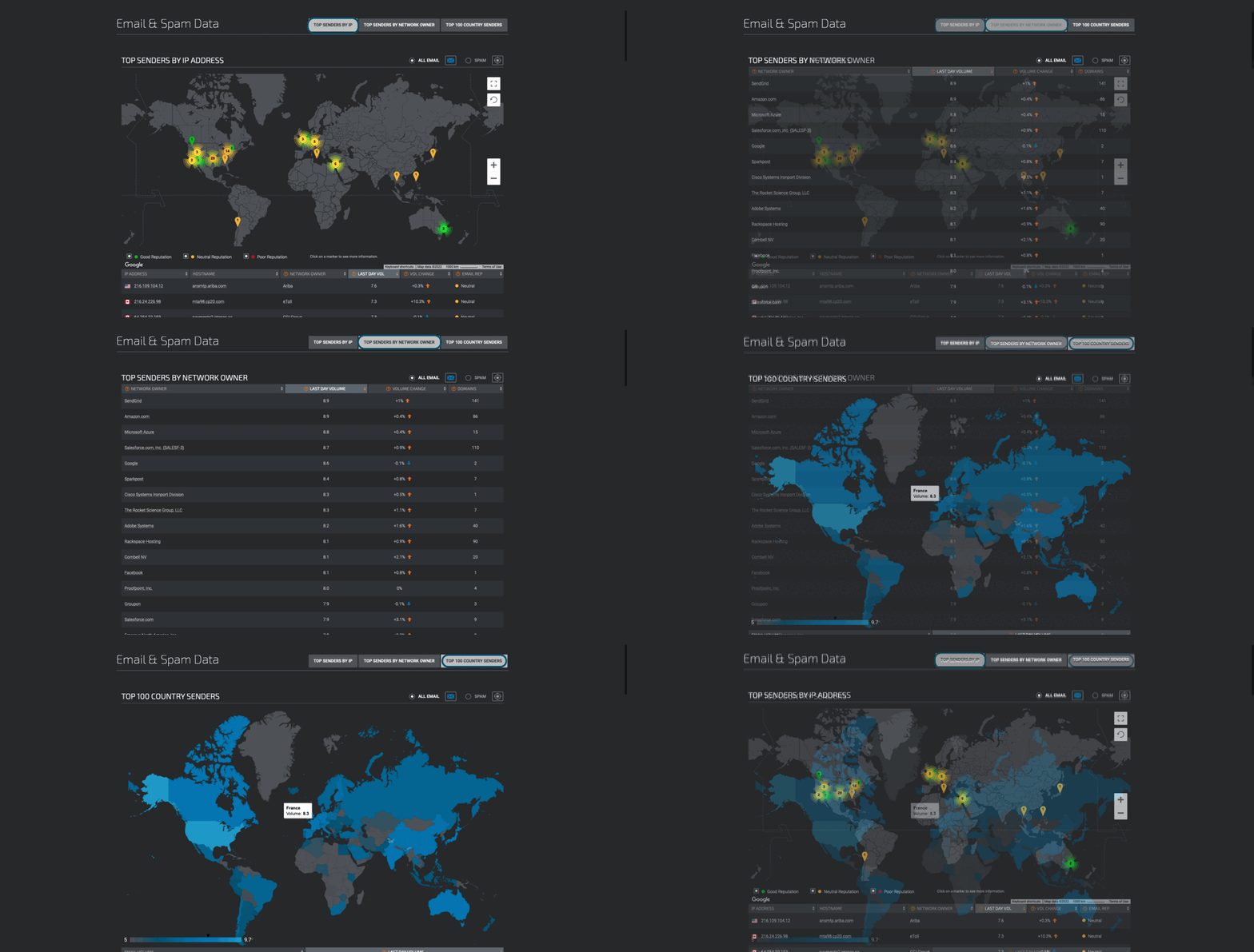
Accessing the open-source solution, we are first presented with a reputation lookup dashboard with a world map. This map shows an overview of email traffic with indicators of whether the emails are legitimate, spam or malware across numerous countries. Clicking on any marker, we see more information associated with IP and hostname addresses, volume on the day and the type.
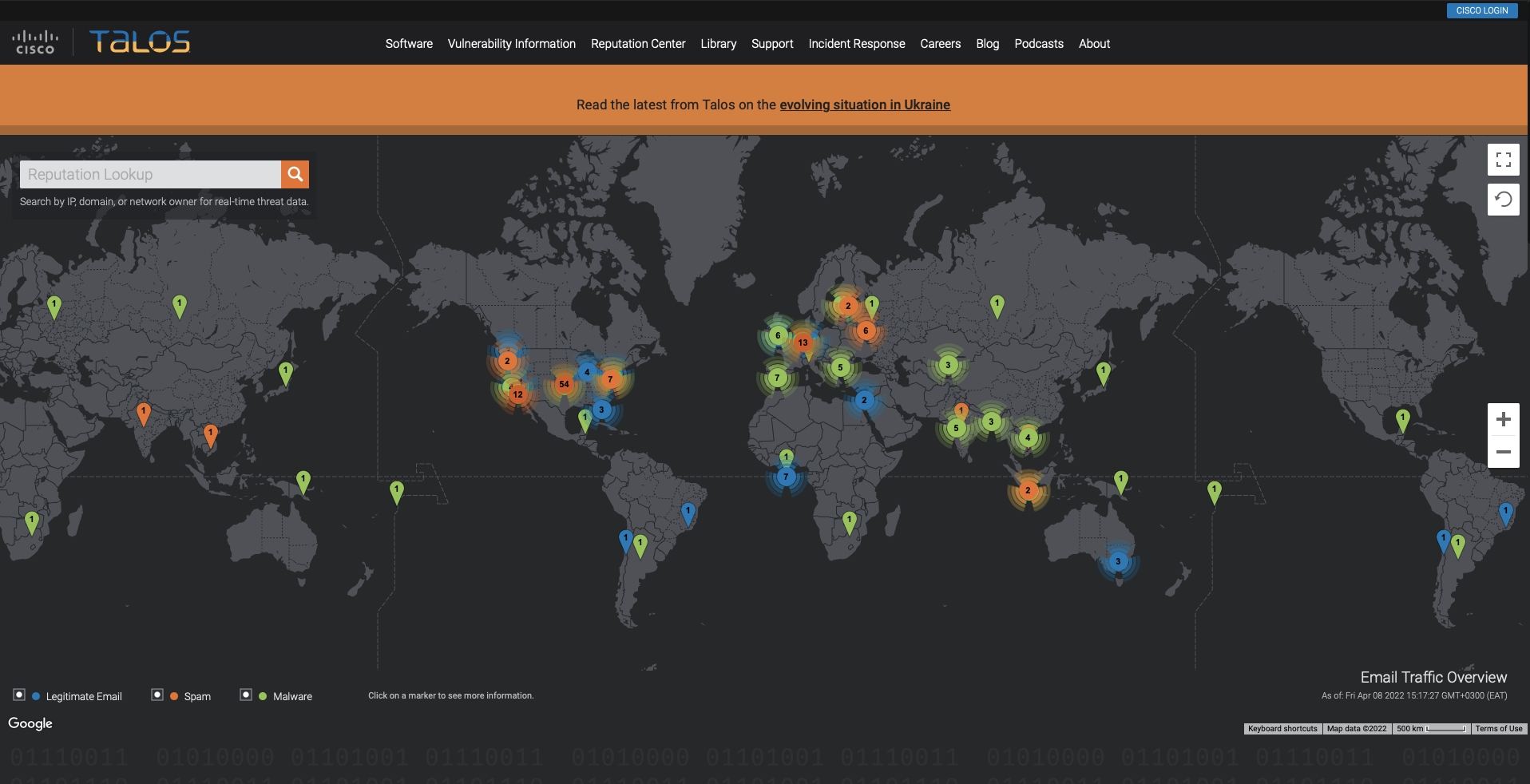
At the top, we have several tabs that provide different types of intelligence resources. The primary tabs that an analyst would interact with are:
Vulnerability Information: Disclosed and zero-day vulnerability reports marked with CVE numbers and CVSS scores. Details of the vulnerabilities reported are provided when you select a specific report, including the timeline taken to get the report published. Microsoft vulnerability advisories are also provided, with the applicable snort rules that can be used.

Reputation Center: Provides access to searchable threat data related to IPs and files using their SHA256 hashes. Analysts would rely on these options to conduct their investigations. Additional email and spam data can be found under the Email & Spam Data tab.
Last updated