
15. Fuzzing an Application with American Fuzzy Lop (AFL) and Capstone Framework
Exercise 15: Fuzzing an Application with American Fuzzy Lop (AFL) and Capstone Framework
In this lab, we will continue to explore the process of fuzzing using the tool American Fuzzy Lop (AFL).
Lab Tasks
Go to Ub20 Fuzzing-CAP machine and login using studentpassword as Password.
We will work and fuzz with the tool Capstone. Capstone is an open-source disassembly engine widely used in exploitation frameworks, disassemblers, debugging aids, and other projects.
The code we are going to work with has been created for you. It is in the home directory and called captest.c. The code is shown in the following screenshot.
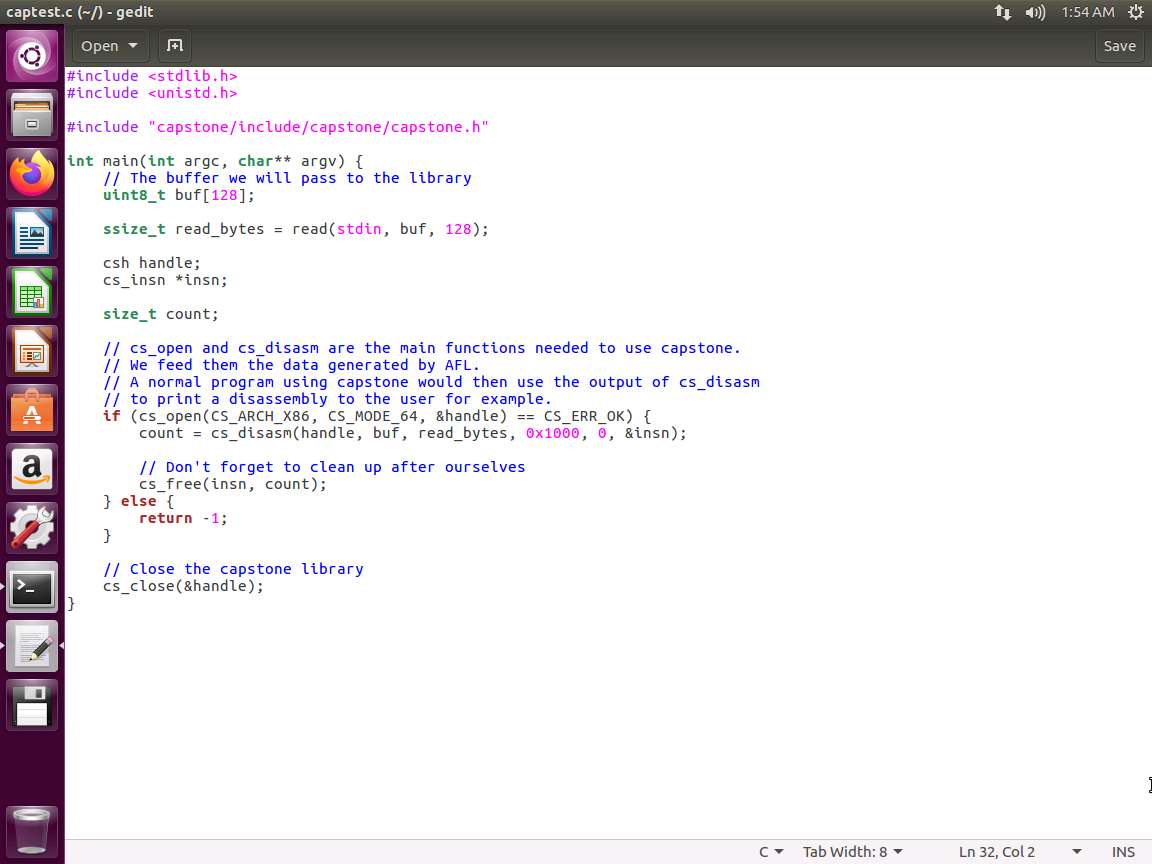
Screenshot This is only a small file that we are using for a base. There really is nothing special here, but it is enough to give us another example of the process to use this tool .
You do not have to type the commands in the following screenshot. We are including them here in case you want to do this on a machine you build.
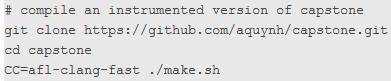
optional.jpg We have included the binaries here since afl-clang-fast does not work the same on Ubuntu 20, but the process is key. In your environment, you would build this on your own platform. The 18.04 version of Ubuntu works well with this.
The compilation steps are for reference only, just the executables and perform the fuzzing. You only need to execute the highlighted steps; the remaining are for reference.
We are now ready to compile and link our test code using capstone. Type afl-clang-fast -static captest.c capstone/libcapstone.a -o captest and press Enter. The output of the command is shown in the following screenshot.
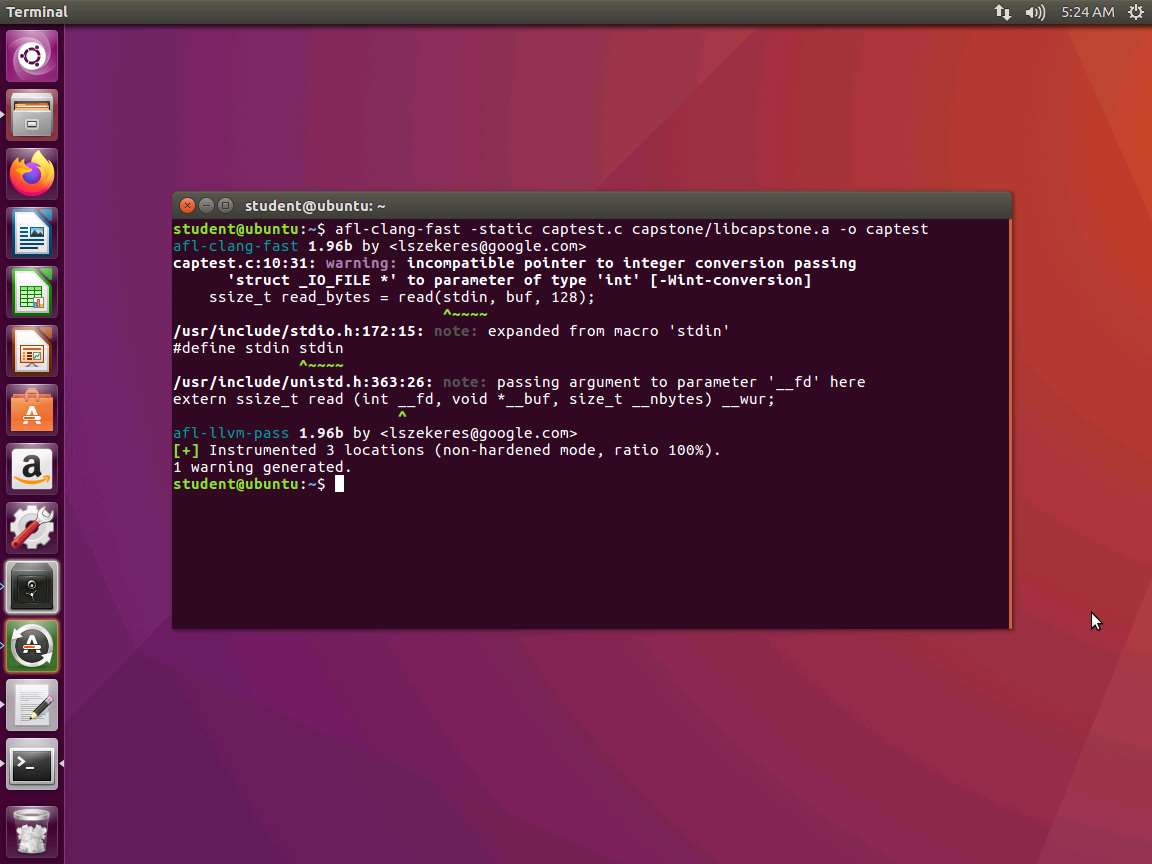
Screenshot As the above screenshot shows, some warnings are displayed. This is to be expected when we use this type of code and moreover functions.
Next, we generate our inputs. Type mkdir inputs and press Enter.
We will use the dd command to create some data. Type dd if=/dev/urandom of=inputs/rand bs=64 count=1 and press Enter. The output of the command is shown in the following screenshot.
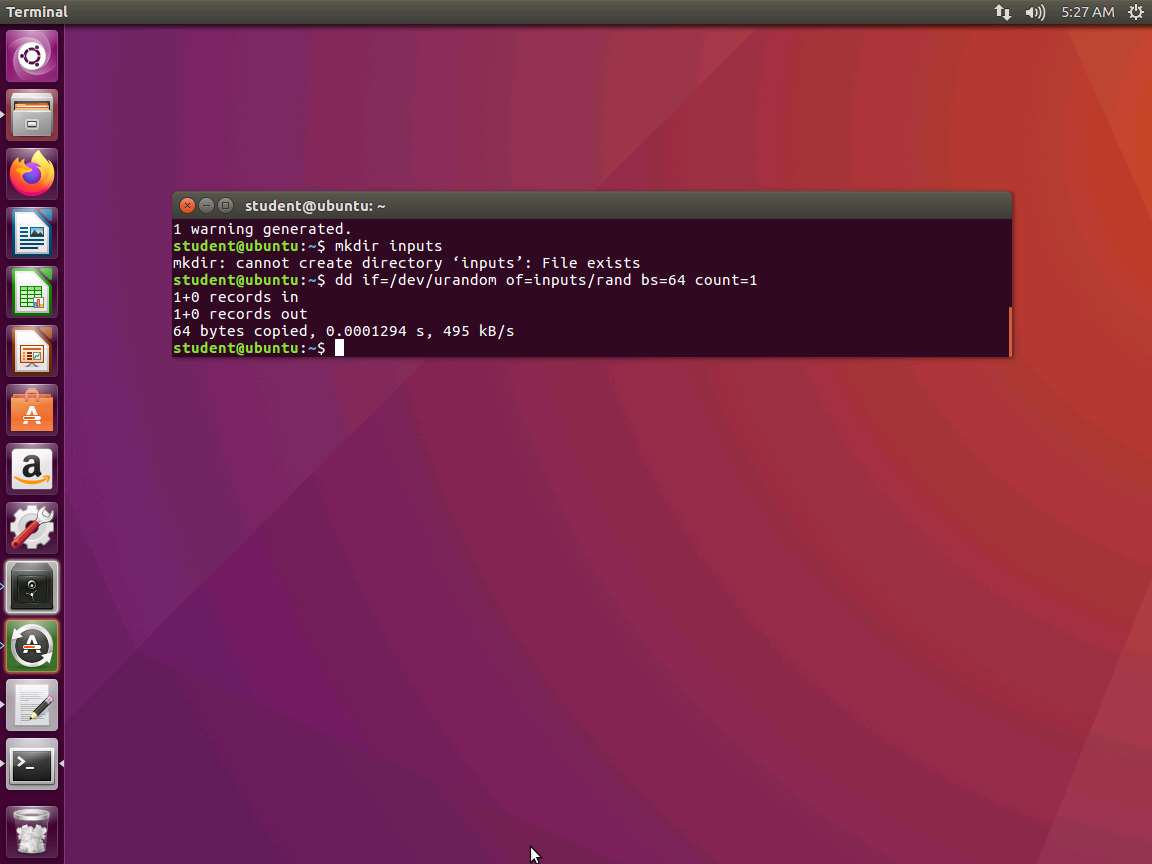
Screenshot Now that the input is created, we are ready to run our fuzzing tool. However, before we do that, we want to ensure that the core is not pointing to an external source. Open another shell, and enter sudo -i to get root privileges (we cannot sudo the command; we have to achieve root first). Then type echo > /proc/sys/kernel/core_pattern.
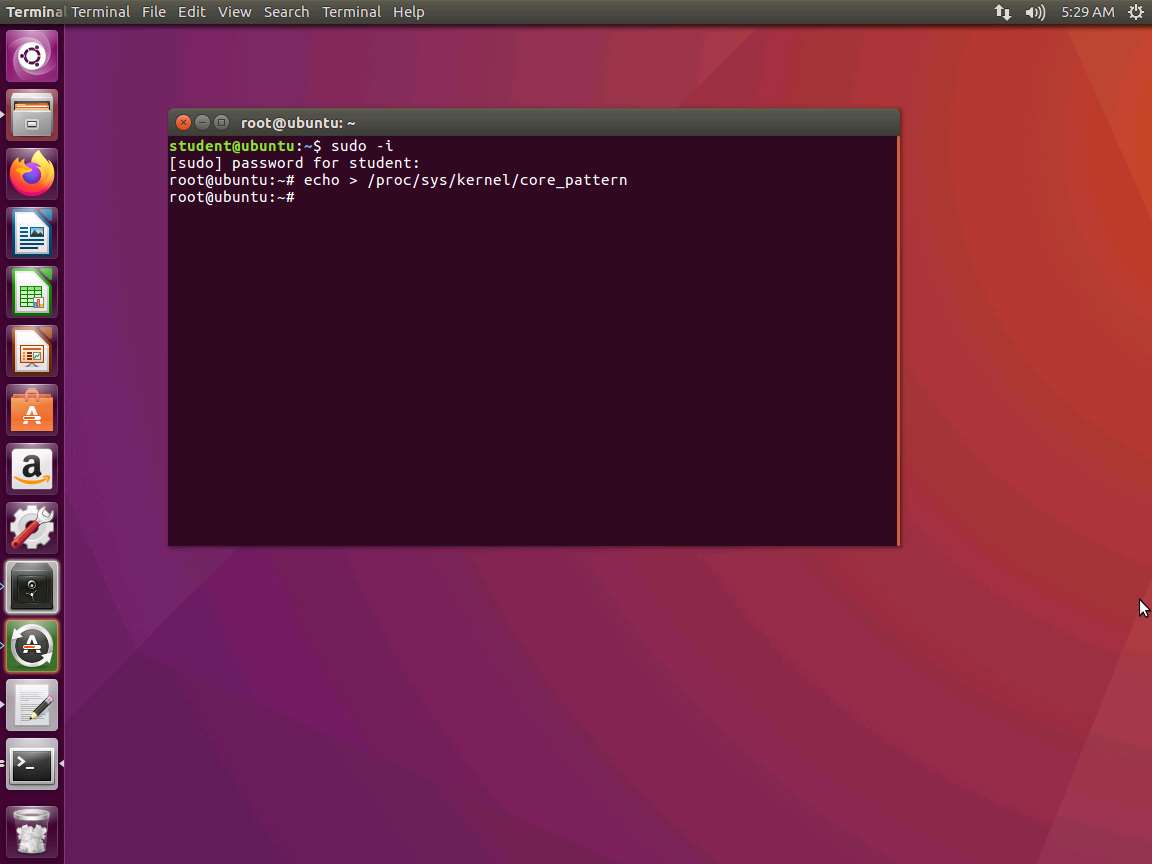
Screenshot Now we are ready. Type afl-fuzz -i inputs -o findings ./captest and press Enter. An example of the command output is shown in the following screenshot.
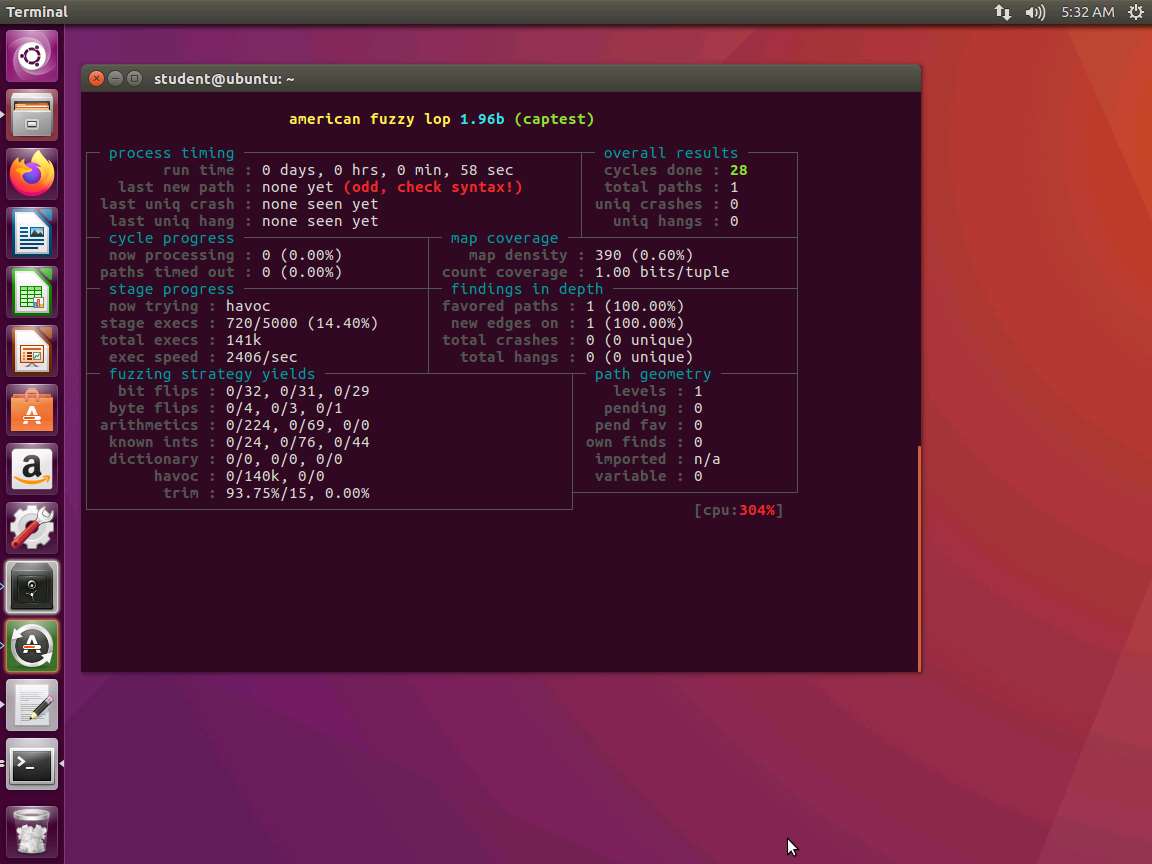
Screenshot Our exec speed is over 2K per second, so this is not as good as the earlier speed. However, we can still try to improve the speed.
A variety of tricks can be used to speed up the processing. The method we will use here is AFL in-process fuzzing. We will not restart the process each time we get a new input string. We can achieve this by using a loop. We are doing this on the program captest2.c. An example of the code is shown in the following screenshot.
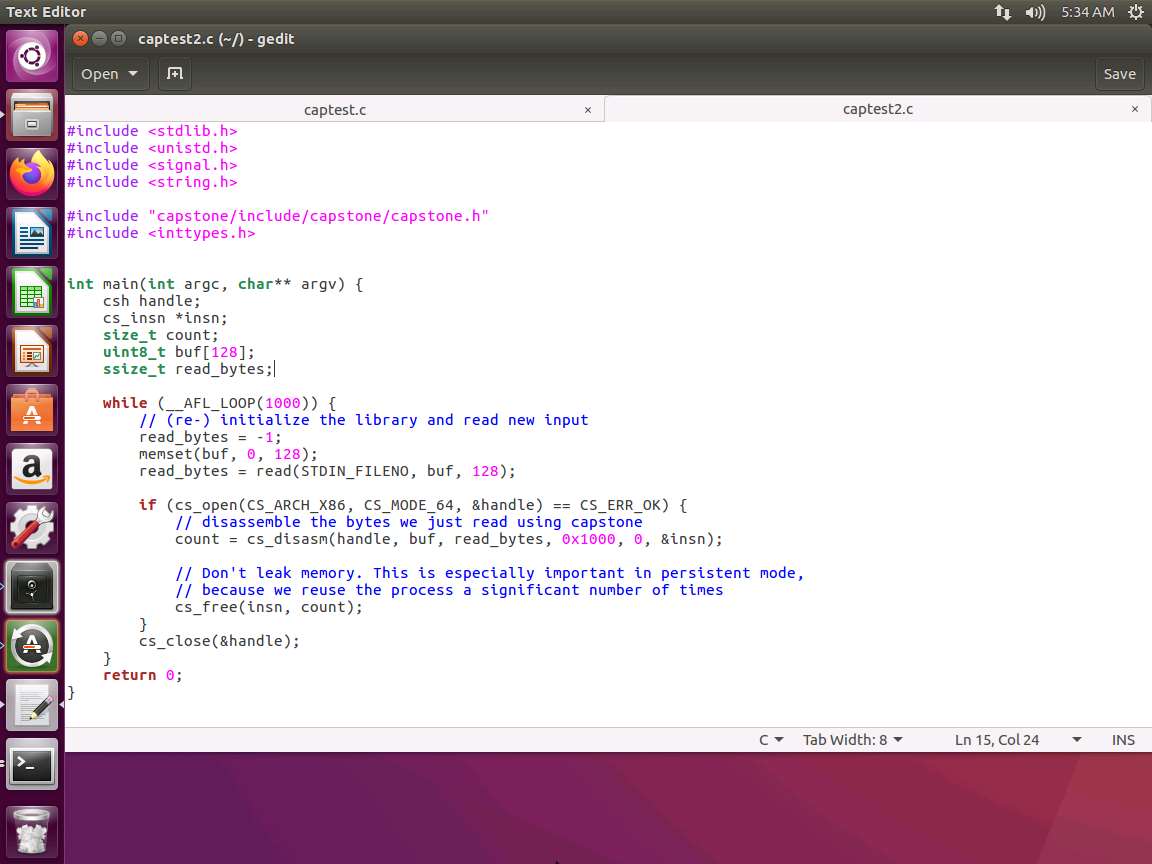
Screenshot This code now contains a macro of __AFL_LOOP that detects whether the program is running under AFL. If it is, then 1000 different inputs will be fed to the tool. Every 1000 iterations, the process tears down and restarts. This ensures that we replace the process to avoid memory leaks.
Please also note that if the program is launched outside AFL, then the loop code only runs once. This allows for testing cases from the command line and allows us to use other tools such as gdb or automated tools to inspect crashes.
On a new terminal, type afl-clang-fast -static captest2.c capstone/libcapstone.a -o captest2 and press Enter.
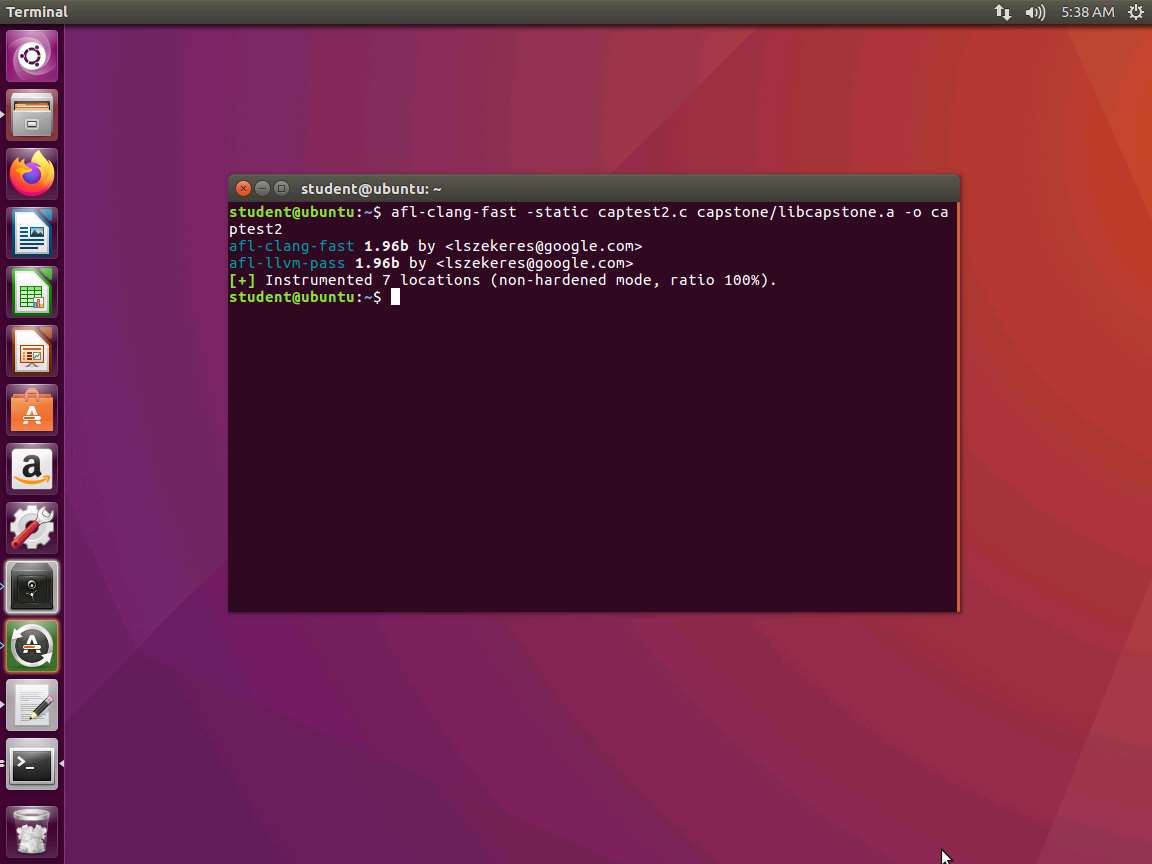
Screenshot Next, once the code is compiled, we are ready to run the fuzzer again. Type afl-fuzz -i inputs -o findings ./captest2 and press Enter. An example of the output of this command is shown in the following screenshot.
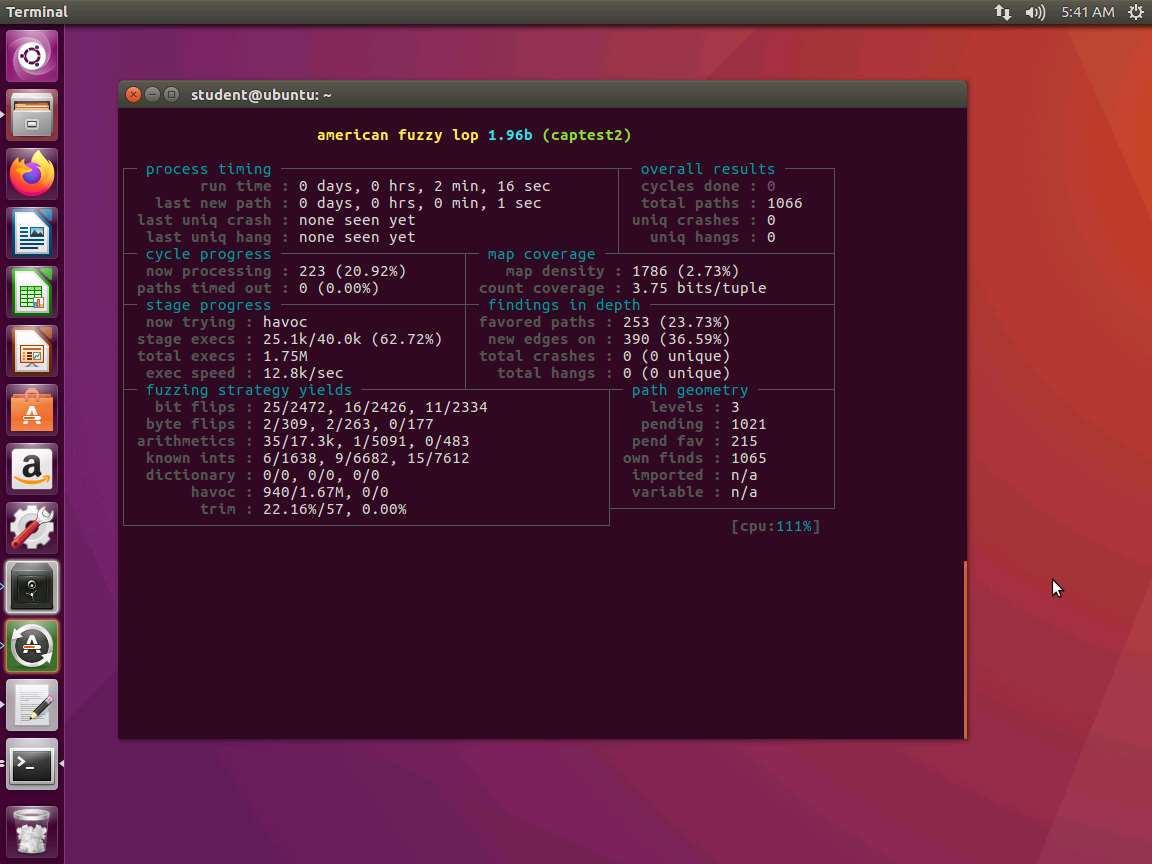
Screenshot As the above screenshot shows, we are now almost at 13k per second, which is a significant increase! All from adding three lines of code ! You can also run one AFL session per each core, so you could open additional windows and run the commands as a master and slave setup.
As the screenshot shows, total execs is now 1.75M, which is a significant increase.
The lab objectives have been achieved.
Last updated